
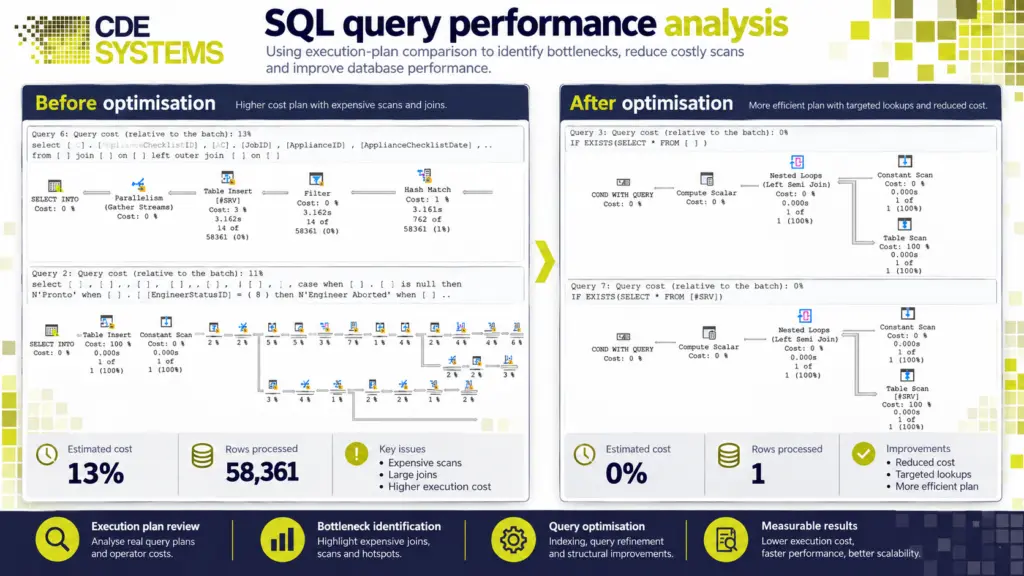
The reports that used to come back in seconds now take minutes. The application times out at the busiest part of the day, and month end has become something people plan around.
When a system is slow for long enough, people stop relying on it and start keeping their own figures on the side. Sooner or later somebody gets a quote for new hardware, and it can look like the only way out.
Usually it isn’t. Most SQL Server performance problems can be fixed in days, for less than the server would cost. CDE Systems has tuned SQL Server since 1999, and we start by measuring where the time is going. Then we fix the cause, whether that’s the queries, the indexes, the configuration or the application on top.

How it tends to show up
- It’s fine most of the day and grinds at 9am, or during the overnight run
- One person runs a report and everyone else stops
- The application freezes and then times out
- It has got a little worse every year as the data has grown
- The server’s CPU or memory sits near the top all day
- Someone has suggested a new server as the cure
Slow SQL Server systems are common, and it’s rarely down to anyone’s mistakes. The default settings don’t suit most real workloads, and most installations are still running them. A design that was right when the system went in doesn’t warn you when the business outgrows it.
What a bigger server won’t fix
More hardware can hide a problem for a while. But if the cause is a query that reads an entire table to find one row, a faster server reads the same table a little quicker, and the slowness comes back as the data grows.
Meanwhile people have learned to work around the system, and that habit is harder to undo than the query. It’s worth finding out why the server you have is slow before anyone signs a purchase order.
How we find the lost speed
- We measure first. We record how the database behaves on an ordinary day as well as when someone complains, so there’s a baseline to compare against. We find out whether it’s slow all day, at 9am or during the overnight run, and whether memory, CPU or storage is the bottleneck.
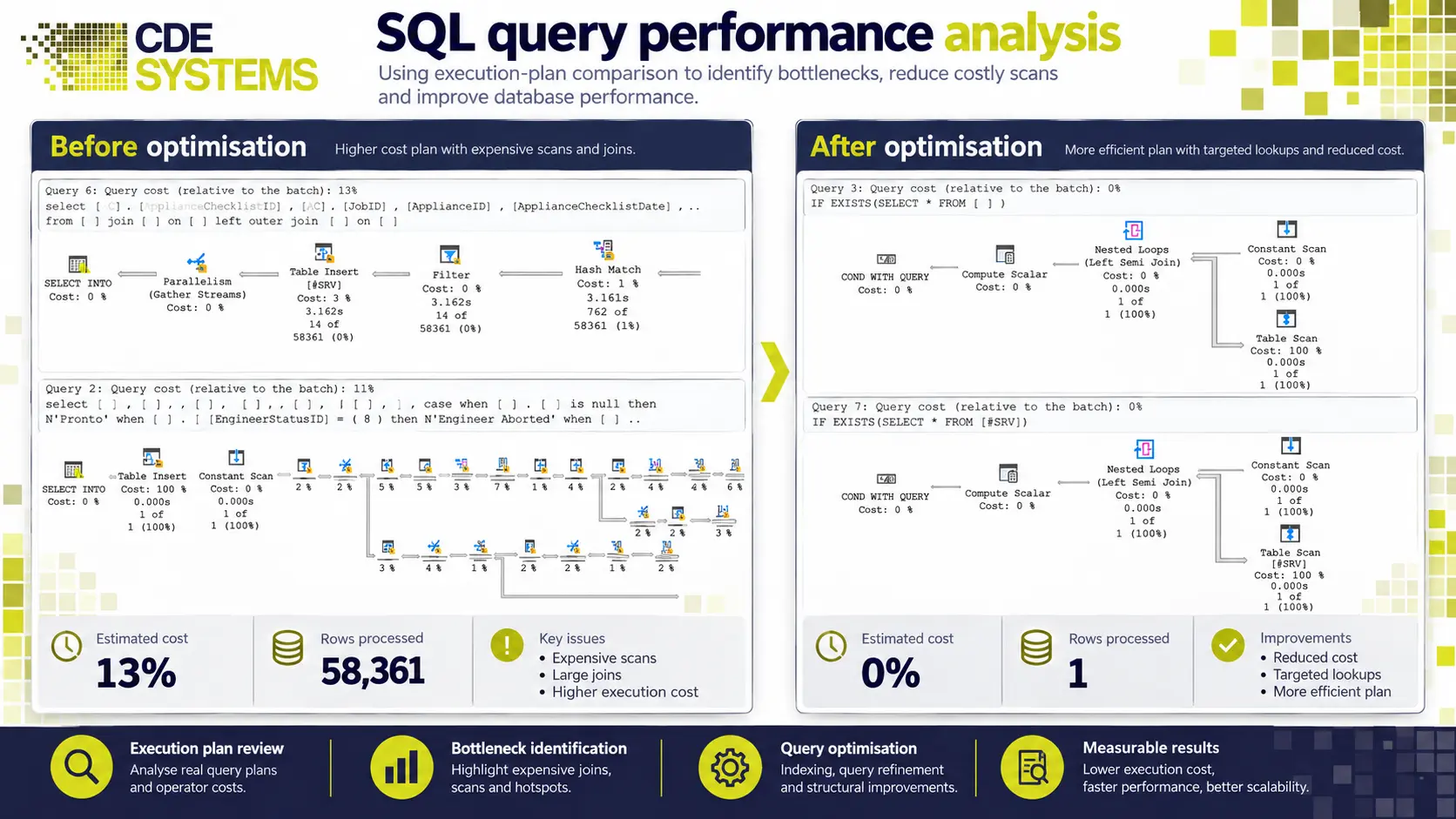
- Then the queries. We look at the queries, views and stored procedures that run most often or cost the most. We fix the ones scanning whole tables where they should be seeking, and deal with parameter sniffing, implicit conversions and non-SARGable predicates. Cursors and row-by-row processing get replaced with set-based statements. There’s more on code-level work under T-SQL development.
- Then the indexes. We add the indexes that are needed, and remove the duplicate and unused ones that only slow writes down. Where complex calculations run again and again, an indexed view can help. Fragmentation and out-of-date statistics get sorted.
- Then the settings. Max memory, MAXDOP and the cost threshold for parallelism. Storage layout, autogrowth and instant file initialisation. And tempdb configuration, which is wrong on a surprising number of servers. Maintenance plans are checked against what they’re meant to do.
Tuning the configuration alone often gets 20–30% back before anyone touches a query.
When it freezes instead of crawling
That’s usually a different problem. The database isn’t slow, it’s waiting.
People say the system has frozen, the application times out, and one person’s report holds everyone else up. It’s usually worst at month end. We find what’s blocking what, and why. The usual causes are long-running transactions, missing indexes that push SQL Server into lock escalation, reports run against live tables, isolation levels that were never chosen on purpose, and deadlocks the application quietly swallows.
The slow creep
Performance that drains away gradually is usually a capacity problem that nobody has been watching. We look at how fast the database is growing and when that starts to hurt, whether the server has the memory for the data it now works with, and where the storage bottleneck really sits. We also check what happens at your busiest point, because an average hides it.
Then you’ll know whether the next twelve months need hardware, tuning or nothing at all, in time to plan for it.
Keeping it fast
One round of tuning fixes today’s problem. Then the data grows, usage changes, and somebody adds a new report. If you’d like, we can keep an eye on it, with baselines tracked over time, alerts on what matters, and a quarterly look at what has changed. That’s part of SQL Server support and consultancy.
Working with your team
If you have an IT team, changes go through your change process and nothing goes live without your say-so. You keep the baseline and the before-and-after measurements, so your team can see what changed and why. We connect by attended remote support, and work that needs a quiet server can be done in the evening or at a weekend. How remote support works
What if it isn’t a tuning problem?
Then we’ll say so before you pay for tuning.
If you’re not sure whether the cause is the queries, the indexes, the configuration, capacity or the application, a SQL Server health check costs £495 (+VAT) and tells you in writing where the problem is.
If it went slow overnight and didn’t creep up, something has usually changed, and that’s emergency SQL Server support, not a tuning project. And if the version is out of support, tuning may not be the best place to spend the money. See SQL Server migration and upgrades.
Faster, and noticed on day one
CDE Systems understood our requirements from day one and delivered a solution that fitted naturally into the way we work.
Case Studies
 Commercial Catering Service & Maintenance (field service)
Aire Valley Catering
Field service apps that work with no signal
Aire Valley Catering’s engineers work in commercial kitchens across the UK, often with no usable signal, and every job still has to be recorded. We built four production…
View case study
Commercial Catering Service & Maintenance (field service)
Aire Valley Catering
Field service apps that work with no signal
Aire Valley Catering’s engineers work in commercial kitchens across the UK, often with no usable signal, and every job still has to be recorded. We built four production…
View case study
 Transport and logistics
ACC Worldwide
A faster SQL Server system, noticed on day one
ACC Worldwide’s staff used one business system all day, every day, and it was slow. We worked on the SQL Server environment behind it. The speed-up was immediate,…
View case study
Transport and logistics
ACC Worldwide
A faster SQL Server system, noticed on day one
ACC Worldwide’s staff used one business system all day, every day, and it was slow. We worked on the SQL Server environment behind it. The speed-up was immediate,…
View case study
 Travel and leisure (adventure travel and expeditions)
Jagged Globe
Keeping bookings, customer records and the website in step
Jagged Globe runs on an internal database and a booking website that have to agree every day, and sometimes they didn’t. We traced and fixed the transfers between…
View case study
Travel and leisure (adventure travel and expeditions)
Jagged Globe
Keeping bookings, customer records and the website in step
Jagged Globe runs on an internal database and a booking website that have to agree every day, and sometimes they didn’t. We traced and fixed the transfers between…
View case study
What’s slow, and when?
Tell us which part of the system people complain about, roughly how many users there are, and whether it got worse gradually or overnight. From that we can usually say whether it’s a tuning job, a capacity problem or something that changed, and what it would cost.