
Nobody enjoys typing the same order into two systems. It’s dull work and it eats a chunk of somebody’s day. The real cost comes when one digit goes astray, because then the database says one thing, the accounts package says another, and the afternoon goes on working out which of them is right.
It’s a job that shouldn’t exist. Once the two systems are connected, an order goes in once and turns up wherever else it’s needed, whether that’s the accounts, the confirmation email or the label on the box.
CDE Systems builds those connections. Access integration, as we do it, means linking your database to the other software you run, through an API where the other system has one and by other routes where it doesn’t. After that the re-typing stops.
What we connect Access to
| System | What moves |
|---|---|
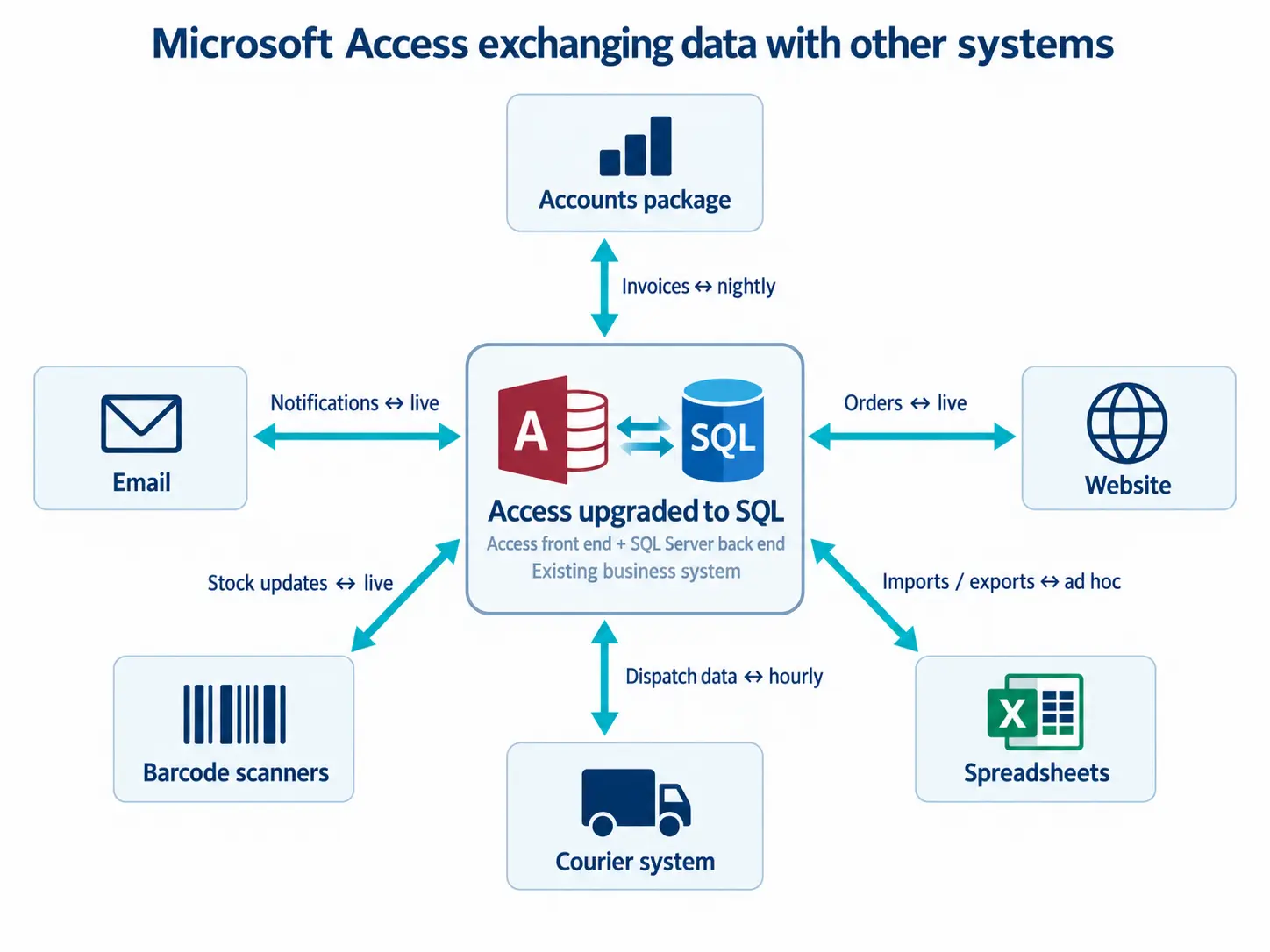
| Accounts | Sage 50, Sage 200, Xero and QuickBooks. Orders and invoices post across without re-keying, and customers, suppliers and nominal codes stay in step both ways |
| Microsoft 365 and Outlook | Quotes, confirmations, statements and reminders, sent from the system and logged against the customer |
| Files and documents | Drawings, certificates, photos and signed paperwork, held against the record but stored outside the database, with version history |
| Barcodes and scanners | Stock, goods in, picking, asset tracking and plant hire, with handheld or fixed scanners and label printing |
| Texts and WhatsApp | Delivery notifications, appointment reminders and engineer-on-the-way messages |
| Your website | Orders in, stock and prices out, and customer accounts kept in step |
| Other people’s systems | Couriers, suppliers, EPOS, payment providers and CRM |
Older Sage and Mamut installations still turn up from time to time, and we still work with them.
The part that decides whether you’ll trust it
Making the connection is the easy half. What matters more is what happens when something doesn’t match, such as a customer who exists in one system and not the other, a code that has changed, or a posting that fails.
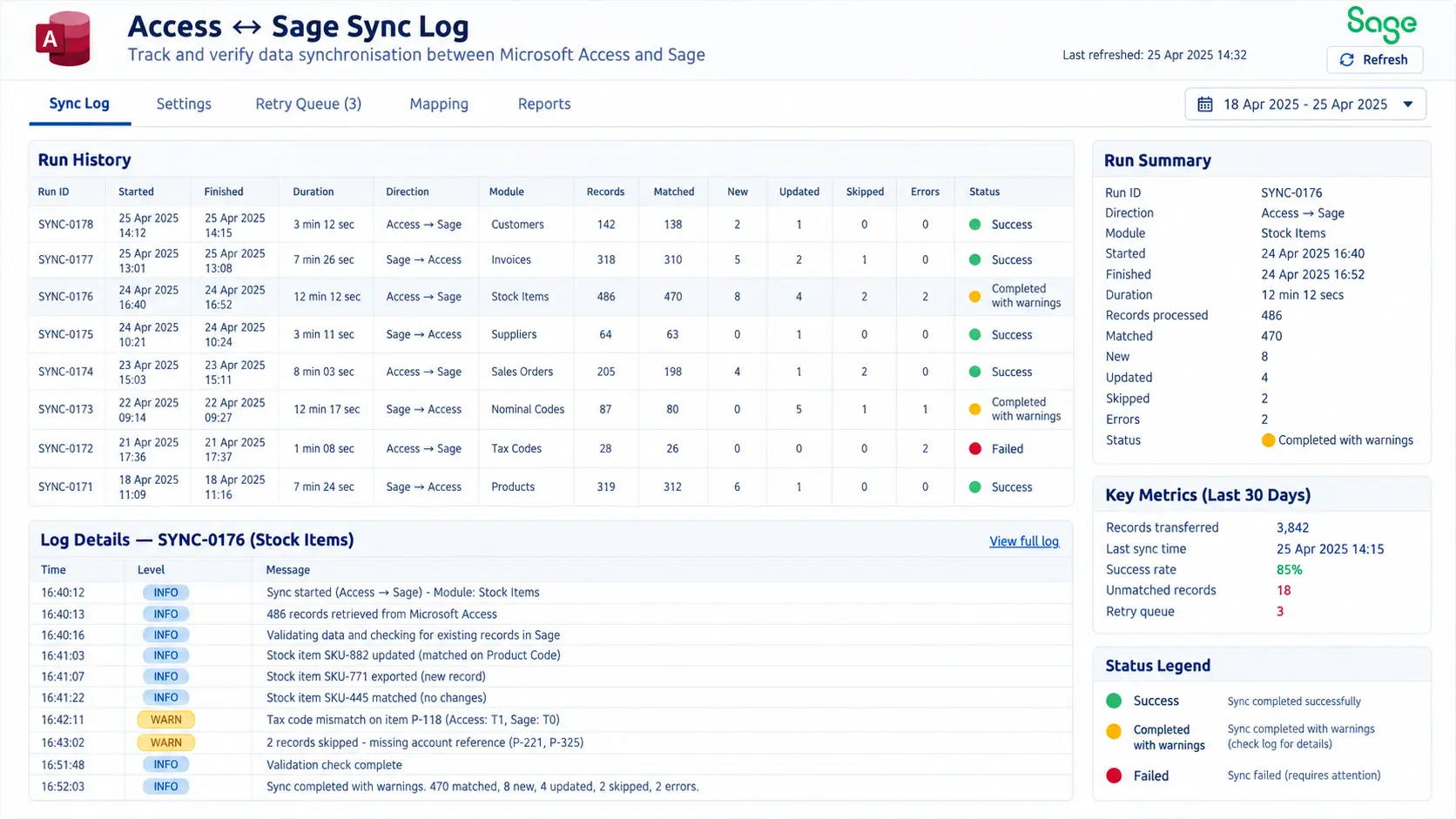
We build the handling for that in from the start, with a log you can read and a way to fix the exception. Without it, people end up checking the link by hand, and then you’re back to having someone go through two systems line by line.
How it gets connected
It depends on what the other system offers, and we’d be wary of anyone who says there’s only one way.
- An API, where the other system has one. This works in both directions, with authentication and error handling
- A direct database connection, for systems that sit on SQL Server or something similar
- A scheduled exchange, overnight or hourly, for data that doesn’t need to be live
- Files, meaning CSV, XML or fixed-width. A lot of business software still offers nothing else, and it works perfectly well
- Webhooks, for when something has to happen the moment it happens
- Screen-level automation, as a last resort
What will it cost to keep running?
It’s worth asking every supplier this, us included. We’ll give you a figure for running it as well as for building it. An integration that needs somebody to watch it every Monday isn’t finished.
Where we’ve done it
CDE integrated barcodes into our existing systems with no fuss, quickly, easily and cheaply.
Trakker Products
Case Studies
 Commercial Catering Service & Maintenance (field service)
Aire Valley Catering
Field service apps that work with no signal
Aire Valley Catering’s engineers work in commercial kitchens across the UK, often with no usable signal, and every job still has to be recorded. We built four production…
View case study
Commercial Catering Service & Maintenance (field service)
Aire Valley Catering
Field service apps that work with no signal
Aire Valley Catering’s engineers work in commercial kitchens across the UK, often with no usable signal, and every job still has to be recorded. We built four production…
View case study
 Transport and logistics
ACC Worldwide
A faster SQL Server system, noticed on day one
ACC Worldwide’s staff used one business system all day, every day, and it was slow. We worked on the SQL Server environment behind it. The speed-up was immediate,…
View case study
Transport and logistics
ACC Worldwide
A faster SQL Server system, noticed on day one
ACC Worldwide’s staff used one business system all day, every day, and it was slow. We worked on the SQL Server environment behind it. The speed-up was immediate,…
View case study
 Travel and leisure (adventure travel and expeditions)
Jagged Globe
Keeping bookings, customer records and the website in step
Jagged Globe runs on an internal database and a booking website that have to agree every day, and sometimes they didn’t. We traced and fixed the transfers between…
View case study
Travel and leisure (adventure travel and expeditions)
Jagged Globe
Keeping bookings, customer records and the website in step
Jagged Globe runs on an internal database and a booking website that have to agree every day, and sometimes they didn’t. We traced and fixed the transfers between…
View case study
What’s being typed twice?
Tell us which two systems aren’t talking to each other, and what has to move between them. We’ll come back with whether they can be joined up, how we’d do it, and what it would cost to build and to run.