

In a lot of offices the day starts with needless admin. Yesterday’s web enquiries go into the database, and the orders taken over the phone go into the accounts package. Then someone works through the delivery details that came in by email. None of it is difficult but it takes up a surprising part of somebody’s week.
The bigger cost comes later when a figure has gone in wrong. The database says one thing and the accounts say another, and an afternoon goes on finding out which is right.
Once the systems are joined up, that job stops. An order goes in once and appears in the accounts, the confirmation email and the despatch label. When something doesn’t go through, it shows up in a log anyone can read. CDE Systems has been connecting business databases to other software since 1999, whatever they’re built in.
What the copying costs
- Hours each week on work that adds nothing
- Two systems holding different versions of the same customer
- Errors found at month end, a long way from where they were made
- A process that only works when one particular person is in
None of it means anyone is doing a bad job. The copying exists because the systems were never connected, and it has carried on because it more or less works.
Once it’s joined up
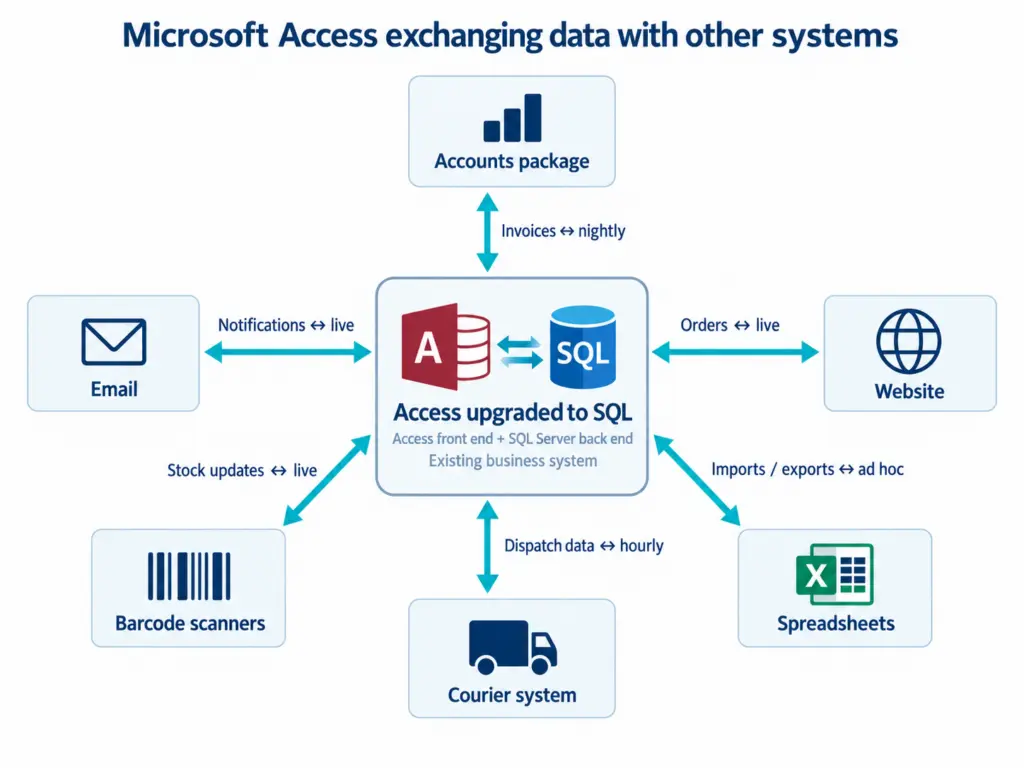
Orders and invoices raised in your system post into the accounts. Customers, suppliers and codes stay in step in both directions. Emails that arrive go on the customer’s record without anyone filing them. Stock counted on a scanner updates the database while the person is still standing at the shelf.
Nobody has to remember to do any of it, and if one link fails, someone is told.
What we join up
Accounts and finance. Sage 50 and Sage 200, Xero and QuickBooks. Older Sage and Mamut installations still turn up, and we still work with them.
Email, Microsoft 365 and Exchange. Sending quotes, confirmations, statements, job sheets and reminders from live data, logged against the record so anyone can see what went out and when. Receiving too, which is the half most people never set up. Incoming orders get logged against the customer, supplier remittances get filed against the job, and attachments get stored where they belong. Email sent by a system gets filtered harder than email sent by a person, so SPF, DKIM and DMARC need to be right. In most businesses we look at they aren’t, often because the business didn’t know the database was sending mail at all.
Files and documents. Drawings, certificates, photos and signed paperwork, held against the record they belong to. They’re stored outside the database so it doesn’t bloat, with version history and a record of who added and who opened what. For anything holding personal data, that record is the part auditors ask about.
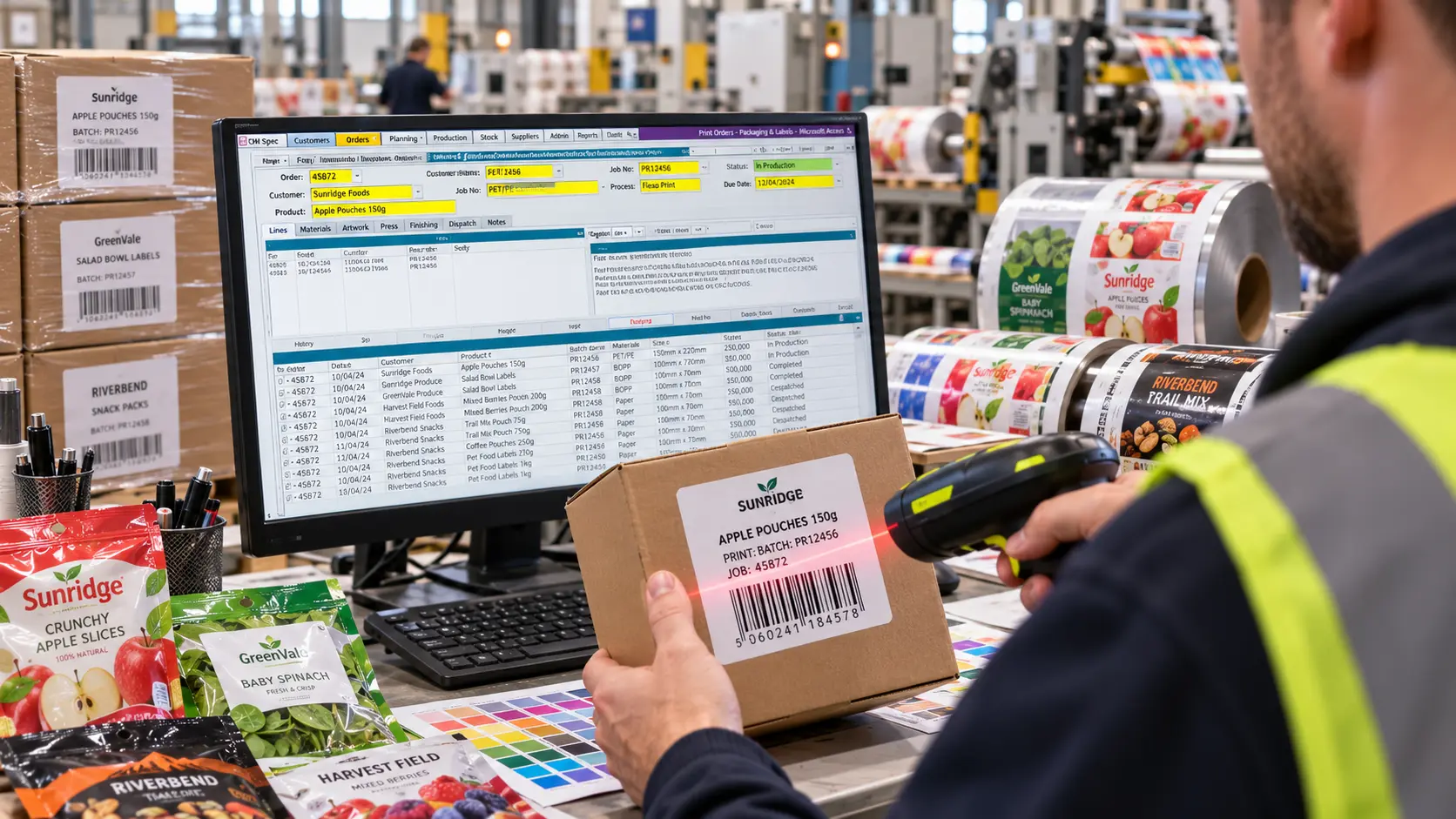
Barcode and scanning. Goods in, picking, despatch, asset tracking, plant hire and stocktakes. We’ve done barcode work across logistics, retail and rental, and most of it starts the same way. Someone writes numbers on a clipboard and types them in later, and about one in fifty is wrong. The hardware matters as much as the software. Sometimes that means rugged handheld scanners, and often it means phones, because the camera is good enough and nobody loses a device they already carry. Labels print from the system. The part that decides whether people use it is what happens when a label won’t scan or a count doesn’t match. Mobile apps
Texts and WhatsApp. Delivery notices, appointment reminders and engineer-on-the-way messages through the main UK SMS gateways, and WhatsApp through the Business API. Replies come back into the system, not onto someone’s phone.
Your website and online shop. Products, prices, stock and branch details kept in step. Web forms and bookings arrive as records, ready to work on. Orders come in, stock and pricing go out, and customer accounts match in both places. Customer portals
Other people’s systems. Couriers, payment providers, EPOS, CRM, suppliers ordering systems, customers purchasing portals and certification bodies.
Barcode scanning integrated with a business database
How it gets connected
It depends on what the other system offers, and there’s rarely only one way.
- An API, where the other system has one, in both directions, with authentication and error handling
- Webhooks, when something needs to happen the moment it happens
- A scheduled exchange, hourly or overnight, for data that doesn’t need to be live
- Files in CSV, XML or fixed-width. A lot of business software offers nothing else, and it works perfectly well
- Screen-level automation, as a last resort, for a system with no other way in
When something doesn’t match
Making the connection is the easy half. What matters more is what happens when a customer exists in one system and not the other, a code has changed, or a posting fails. We build the handling for that in from the start, so there’s a log a non-technical person can read and a way to put the exception right. That’s what decides whether people still trust the link six months later.
Built to keep running
- Passwords and keys held in a key vault or a managed identity, never in a config file
- Retries, so a supplier’s system being down for ten minutes doesn’t become an incident
- Failures that alert someone straight away, so they don’t sit unnoticed until month end
- A way to reprocess what failed
- Written down, so the business isn’t relying on one person knowing how it works
What will it cost to keep running?
Ask every supplier this, us included. You’ll get a figure for running it as well as for building it. An integration that needs someone to keep an eye on it every Monday isn’t finished.
Where we’ve done it
CDE integrated barcodes into our existing systems with no fuss, quickly, easily and cheaply.
Trakker Products
Case Studies
 Commercial Catering Service & Maintenance (field service)
Aire Valley Catering
Field service apps that work with no signal
Aire Valley Catering’s engineers work in commercial kitchens across the UK, often with no usable signal, and every job still has to be recorded. We built four production…
View case study
Commercial Catering Service & Maintenance (field service)
Aire Valley Catering
Field service apps that work with no signal
Aire Valley Catering’s engineers work in commercial kitchens across the UK, often with no usable signal, and every job still has to be recorded. We built four production…
View case study
 Transport and logistics
ACC Worldwide
A faster SQL Server system, noticed on day one
ACC Worldwide’s staff used one business system all day, every day, and it was slow. We worked on the SQL Server environment behind it. The speed-up was immediate,…
View case study
Transport and logistics
ACC Worldwide
A faster SQL Server system, noticed on day one
ACC Worldwide’s staff used one business system all day, every day, and it was slow. We worked on the SQL Server environment behind it. The speed-up was immediate,…
View case study
 Travel and leisure (adventure travel and expeditions)
Jagged Globe
Keeping bookings, customer records and the website in step
Jagged Globe runs on an internal database and a booking website that have to agree every day, and sometimes they didn’t. We traced and fixed the transfers between…
View case study
Travel and leisure (adventure travel and expeditions)
Jagged Globe
Keeping bookings, customer records and the website in step
Jagged Globe runs on an internal database and a booking website that have to agree every day, and sometimes they didn’t. We traced and fixed the transfers between…
View case study
What’s being typed in twice?
Tell us which two systems aren’t talking and what has to move between them. We’ll tell you whether they can be joined up, how we’d do it, and what it would cost to build and to run.