

The system works, but only in the building. Sales ring the office to check stock. Managers approve orders by email because the part of the system that does it is on a PC they’re not sitting at. Engineers write jobs on paper and someone types them up on Monday.
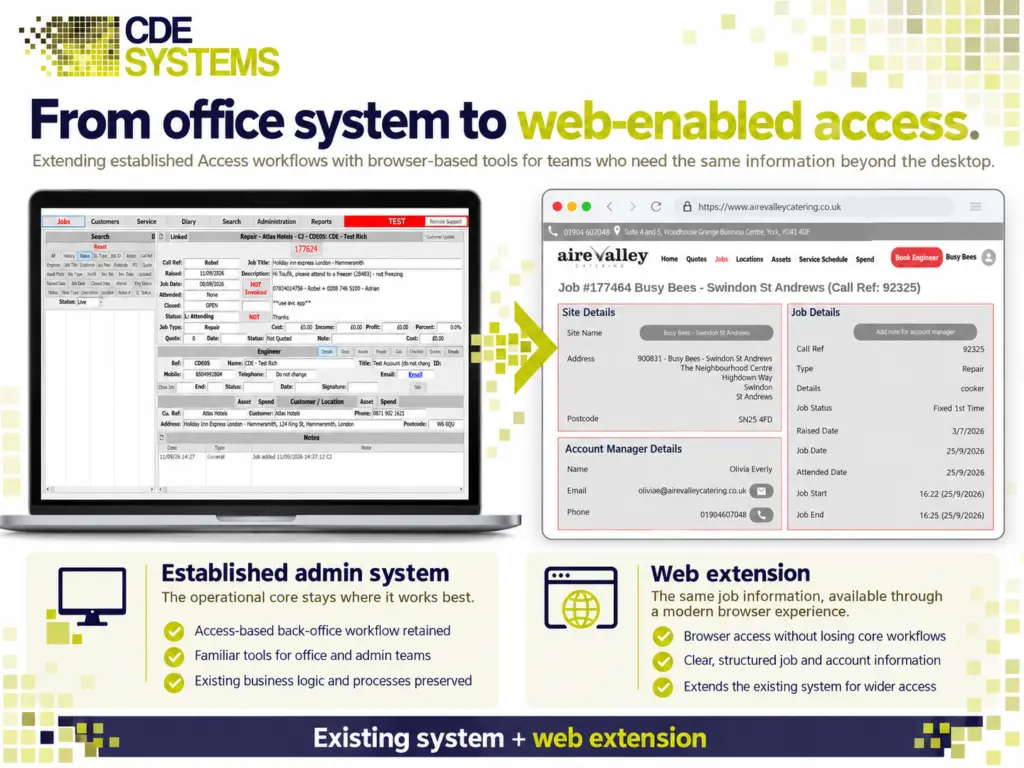
None of that needs a new system. The people who can’t reach it get a browser interface that works on a laptop, tablet or phone. The office carries on with the one it knows, and both see the same records as they change.
CDE Systems builds that way in, over the database you already have, one workflow at a time. The data stays where it is and stays yours.
Who can’t get at it?
People out and about. A salesperson in a customer’s office who could take the order there and then, or a site manager who wants to check what’s been delivered. At the moment they ring someone at a desk and ask them to type it in.
People at home. The VPN is slow on a home connection, and the remote desktop is worse.
People at another site. Each branch has its own copy of the system, and someone spends time making them agree.
People who approve things. Orders wait because the approval only works on one PC in one office.
People who only need to look. Reception checking an order, finance checking a job, or a director who wants one figure without having to ask for it.
Customers and suppliers are a separate question, and usually the next one. Customer portals and self-service
What changes for them
They open a browser, sign in with the account they already have, and see the part of the system their job needs. What they enter is in the main system straight away. Nothing is copied overnight or reconciled afterwards.
The office doesn’t change at all. There’s no retraining and no data migration weekend, and the business never has to bet itself on a go-live date.
What it involves
We build a web application that reads from and writes to your existing database. It covers the workflows people need from outside, which is rarely the whole system.
Because the hard part of a business system is the years of rules about how your business works, and that part already exists and already works, this usually costs a fraction of a replacement.
If the system is Microsoft Access
It’s worth being direct, because there’s a lot of out-of-date advice around. Access itself can’t go on the web. Microsoft retired Access web apps and Access Services in SharePoint years ago. If someone has offered you that, it no longer exists.
What does work is a two-step route. First, the data moves to SQL Server or Azure SQL, and your Access interface carries on working against it. The office sees no difference. Access migration and upgrades
Then the web interface is built against that same SQL Server data, for the parts people need from outside.
The first step is often worth doing on its own, because it deals with the corruption, locking and speed problems of several people sharing one Access file. And you rarely need to put the whole system on the web. Most businesses need four or five parts of it out of eighty.
Security, which is the real question
Opening a business database to the internet needs more than a login box. Auditors, insurers and your clients’ security questionnaires will all ask about this part, so it’s designed with their questions in mind.
- Sign-in with Microsoft Entra ID. Staff use their existing work account. When someone leaves and their account is switched off, the web interface goes with it.
- MFA and conditional access wherever real data is involved.
- Rights by role and group. A person sees the records their job needs, and the rest of the system stays out of view.
- No route to the database from outside. The web application goes through an API, and the database itself sits on a private endpoint the internet can’t reach.
- A full log. Who viewed or changed what, and when. After any incident, that’s the first thing anyone asks for.
- Encryption in transit and at rest, and certificates that renew themselves instead of lapsing over a bank holiday.
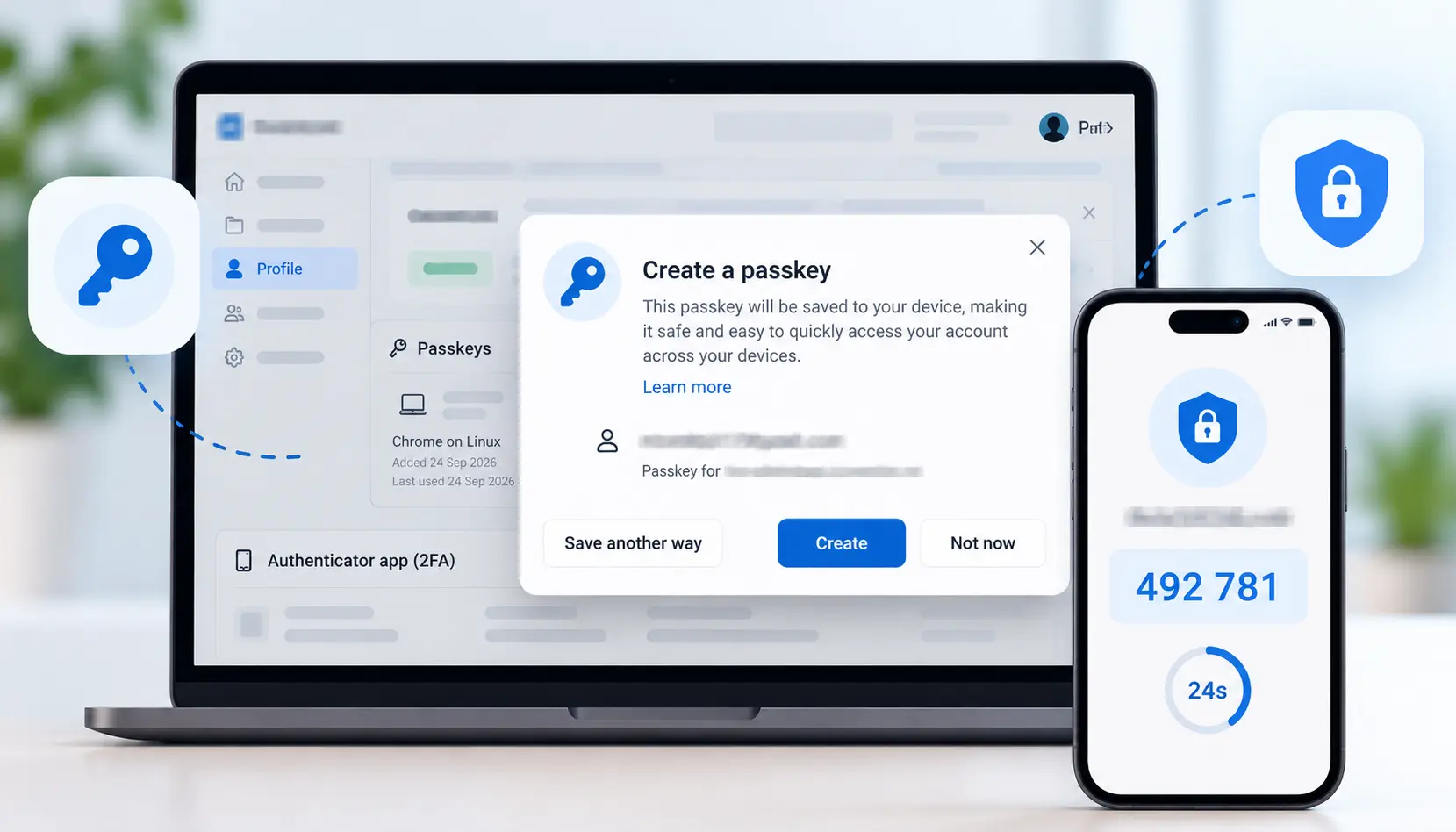
If you’re working towards Cyber Essentials, ISO 27001 or the DSPT, we can help with the paperwork too. Azure and cloud
How it’s built
- Web: React and Next.js
- Back end and APIs: .NET and C#, or Node.js and NestJS
- Data: SQL Server or Azure SQL, with your existing Access or desktop application still connected
- Hosting: Azure App Service or Container Apps, or your own servers if you’d rather
- Infrastructure defined in Terraform, so environments can be rebuilt the same way and you own the definition
It works on a phone, because about half the people who need it will be holding one.
In stages
We start with whatever hurts most. That’s usually one workflow for one group of people. We build it, put it in front of them and get it right before starting the next.
The existing system runs throughout. If you stop after the first stage, that stage still works and still earns its money.
Existing systems, opened up
 Commercial Catering Service & Maintenance (field service)
Aire Valley Catering
Field service apps that work with no signal
Aire Valley Catering’s engineers work in commercial kitchens across the UK, often with no usable signal, and every job still has to be recorded. We built four production…
View case study
Commercial Catering Service & Maintenance (field service)
Aire Valley Catering
Field service apps that work with no signal
Aire Valley Catering’s engineers work in commercial kitchens across the UK, often with no usable signal, and every job still has to be recorded. We built four production…
View case study
 Transport and logistics
ACC Worldwide
A faster SQL Server system, noticed on day one
ACC Worldwide’s staff used one business system all day, every day, and it was slow. We worked on the SQL Server environment behind it. The speed-up was immediate,…
View case study
Transport and logistics
ACC Worldwide
A faster SQL Server system, noticed on day one
ACC Worldwide’s staff used one business system all day, every day, and it was slow. We worked on the SQL Server environment behind it. The speed-up was immediate,…
View case study
 Travel and leisure (adventure travel and expeditions)
Jagged Globe
Keeping bookings, customer records and the website in step
Jagged Globe runs on an internal database and a booking website that have to agree every day, and sometimes they didn’t. We traced and fixed the transfers between…
View case study
Travel and leisure (adventure travel and expeditions)
Jagged Globe
Keeping bookings, customer records and the website in step
Jagged Globe runs on an internal database and a booking website that have to agree every day, and sometimes they didn’t. We traced and fixed the transfers between…
View case study
Who can’t get at the system?
Tell us which people are locked out and what they need to do in it. We’ll come back with what a web interface would involve, what it would cost, and whether the data needs to move first.