
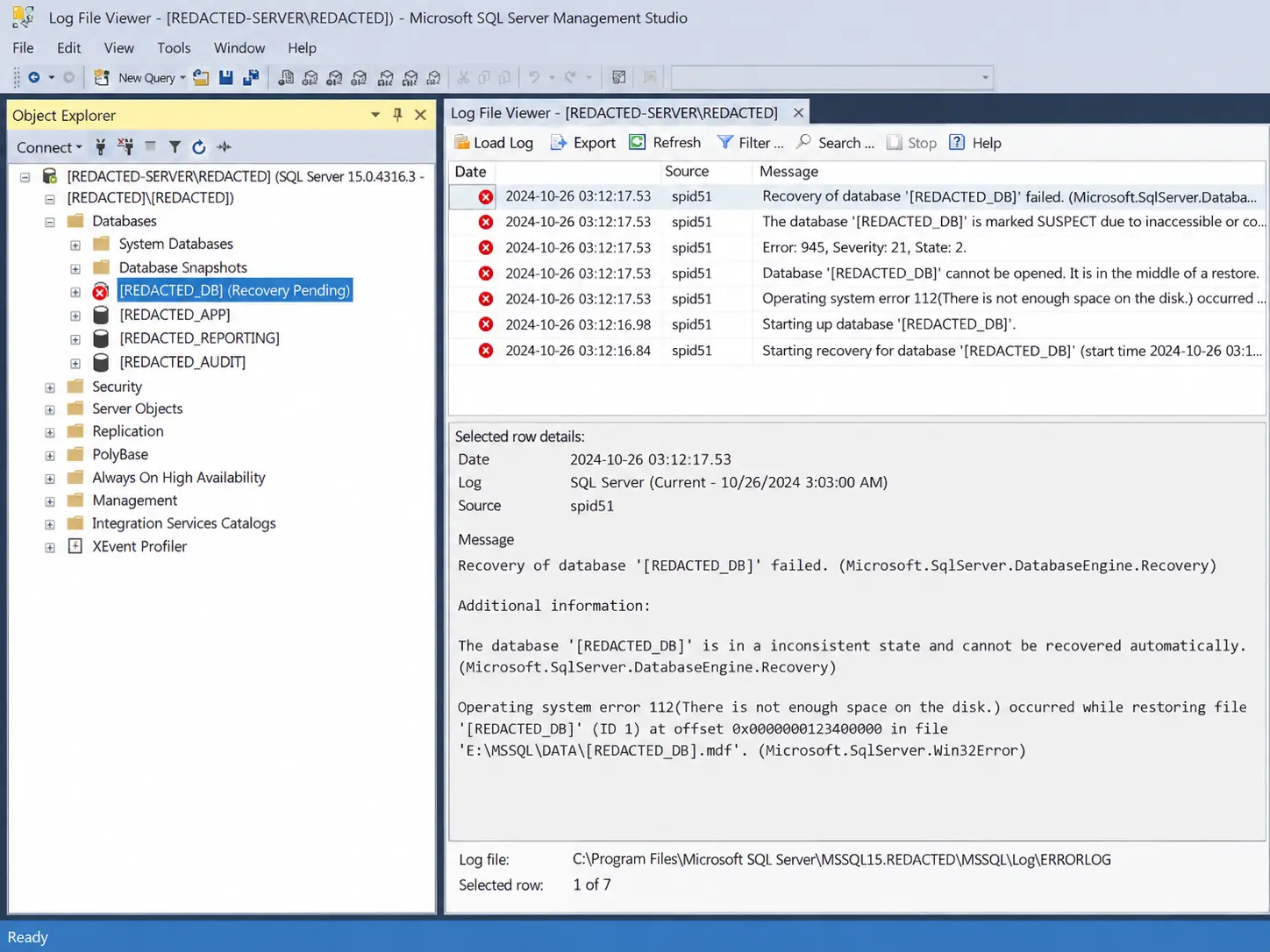
A database has gone into suspect mode, CHECKDB has thrown errors, or a restore has failed halfway. Stop there, and don’t try a fix yet.
In most cases a damaged SQL Server database can be repaired back to a state where it attaches and runs. Where it can’t, we recover as many tables and records as we can and rebuild them into a clean database your application will work with, so people can get going again while we deal with the rest.
Take a copy of whatever you can, then ring and read us the error. SQL Server repair and recovery is work CDE Systems has done since 1999, and you’ll be speaking to someone who has seen that error before.

Before you do anything else
- Don’t detach the database. A suspect database that has been detached often can’t be attached again, and the options you still had go with it.
- Don’t restart the SQL Server service. It rarely helps, and it can start a recovery you then can’t stop.
- Don’t run REPAIR_ALLOW_DATA_LOSS. It brings the database online by throwing away whatever it can’t fix, and it doesn’t give you a list of what went.
Do take a copy. A backup, if the database will let you take one. If the service is stopped, copy the MDF and LDF files somewhere safe and leave that copy alone.
What happens when you ring
- You speak to a SQL Server specialist. Read out the error, or send a screenshot.
- We connect by remote support, with you watching. It’s one download and nothing gets installed.
- We work on copies. The files you have are never the ones we operate on.
- We find what’s damaged. It’s usually one table, one index or a handful of pages, not the whole database.
- We go to the gentlest fix first, and the order is set out below.
- You get back a working database with the application attached, and a plain account of what was recovered and what wasn’t.
If something isn’t coming back, you’ll hear that early and not at the end. Most cases are dealt with the same day.
Restore first, repair last
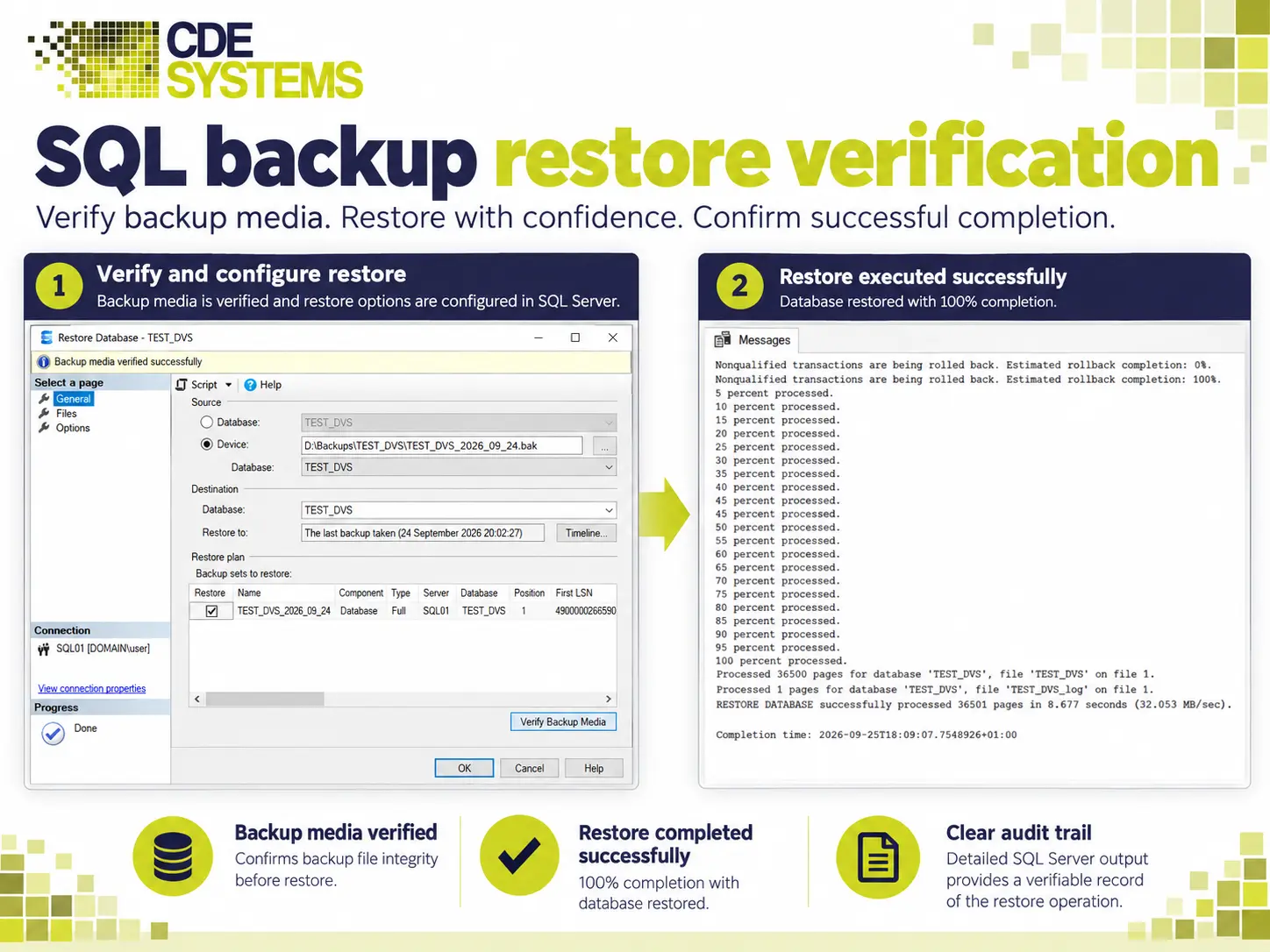
The first thing we’ll ask is whether you have a backup. Restoring a good backup beats repairing a damaged database every time, because repair means accepting some loss and a restore doesn’t.
- What’s damaged. We pin down exactly which objects and pages are affected.
- What the backups can give us. A page-level or filegroup restore can often put the damage right with no downtime at all.
- Repair in place, where that really is the best route, and only once you know what it will cost in data.
- Extract and rebuild, where the file structure itself has gone. We read the data out and build a clean database around what comes back.
Problems we repair
- Databases showing SUSPECT, RECOVERY_PENDING or EMERGENCY
- DBCC CHECKDB consistency errors, allocation errors and torn pages
- Databases that won’t come online after a restart or a failover
- Restores that fail, and backup chains that turn out to be broken
- Transaction logs that are full, corrupt, or grew until the disk filled
- Corruption in the master, msdb or model system databases
- An MDF file with no matching log file
- Storage or controller failures that took the database with them
- Ransomware, which increasingly takes the backups too
- Data deleted or overwritten by mistake, including an UPDATE run without a WHERE clause
Once you’re running again
Corruption doesn’t come out of nowhere. These are the causes we see most:
- Storage. Failing disks, controller faults, or a SAN misbehaving. SQL Server often notices before the hardware reports anything
- Unexpected shutdowns in the middle of a write, from a power cut, a host restart or a VM snapshot taken the wrong way
- Antivirus scanning the data files while SQL Server has them open
- CHECKDB not running, so corruption sits there for months and gets backed up every night
- Backups that have never been restored, so nobody knows whether they work
- Ransomware, which goes for the backup server first
A SQL Server health check will tell you which of these apply to you, and whether your backups would come through it next time. It costs £495 (+VAT), fixed.
We’ve done this at scale, too. When several customer databases at a software provider were damaged and wouldn’t open, we recovered the audit and customer records and got those systems back into service.
If nothing is corrupt but people still can’t work, that’s emergency SQL Server support. For Access, MySQL or a bespoke system, see database recovery and data rescue.
Case Studies
 Commercial Catering Service & Maintenance (field service)
Aire Valley Catering
Field service apps that work with no signal
Aire Valley Catering’s engineers work in commercial kitchens across the UK, often with no usable signal, and every job still has to be recorded. We built four production…
View case study
Commercial Catering Service & Maintenance (field service)
Aire Valley Catering
Field service apps that work with no signal
Aire Valley Catering’s engineers work in commercial kitchens across the UK, often with no usable signal, and every job still has to be recorded. We built four production…
View case study
 Transport and logistics
ACC Worldwide
A faster SQL Server system, noticed on day one
ACC Worldwide’s staff used one business system all day, every day, and it was slow. We worked on the SQL Server environment behind it. The speed-up was immediate,…
View case study
Transport and logistics
ACC Worldwide
A faster SQL Server system, noticed on day one
ACC Worldwide’s staff used one business system all day, every day, and it was slow. We worked on the SQL Server environment behind it. The speed-up was immediate,…
View case study
 Travel and leisure (adventure travel and expeditions)
Jagged Globe
Keeping bookings, customer records and the website in step
Jagged Globe runs on an internal database and a booking website that have to agree every day, and sometimes they didn’t. We traced and fixed the transfers between…
View case study
Travel and leisure (adventure travel and expeditions)
Jagged Globe
Keeping bookings, customer records and the website in step
Jagged Globe runs on an internal database and a booking website that have to agree every day, and sometimes they didn’t. We traced and fixed the transfers between…
View case study