

You’ve opened the VBA behind an Access database that somebody else wrote. Some of it throws errors, some of it hasn’t compiled since the move to 64-bit Office, and some of it works without anyone being able to say why.
VBA is where an Access database keeps its real logic, and it’s usually the one part that never got written down, so every change feels like a risk.
You don’t have to untangle it on your own. CDE Systems has worked in Access since 1999, mostly on systems other people built, and our Access VBA developers can read the code, fix what’s broken and write down what it does. It stays your code throughout.
The calls we get most
- Code that compiled for years and won’t now, usually after a move to 64-bit Office
- Declare statements and API calls that need PtrSafe and rewriting
- References that have gone missing or broken after an Office update
- A corrupt VBA project, with forms that won’t open in design view
- Errors thrown at users with no handling behind them
- A bloated project that needs decompiling
- Automation into Excel, Word and Outlook that has stopped working
- Old macros that would be safer as VBA
Code like this has usually had several authors, each with a deadline. It grew that way, and nobody set out to make it hard to follow.
Why it’s worth sorting now
Undocumented code gets riskier as it gets older. Every Office update is a small gamble, and every change depends on what one person can remember, who may well be you. The longer it runs like that, the more the business comes to rely on logic that no one can read.
What we do with it
We read it and report back. We work through the code, comment it, and report on every object: what runs when, what calls what, what can no longer be reached, and where the risks are. On a system somebody else built, this is usually the first job.
We fix what’s broken. That covers compile errors, 64-bit conversion, missing references and failed automation. If the whole database is moving from 32-bit to 64-bit, see Access migration and upgrades.
We tidy it. Naming is made consistent, duplicated blocks are merged, dead procedures come out, and error handling is applied throughout. The aim is that the next person to open it can follow it, whether that’s us, you or somebody else entirely.
We speed it up, if the code is what’s making things slow. The usual suspects are loops that re-query the database on every pass, recordsets left open, and screen redraws that were never switched off. There’s more on this under Access performance tuning.
What you’re left with
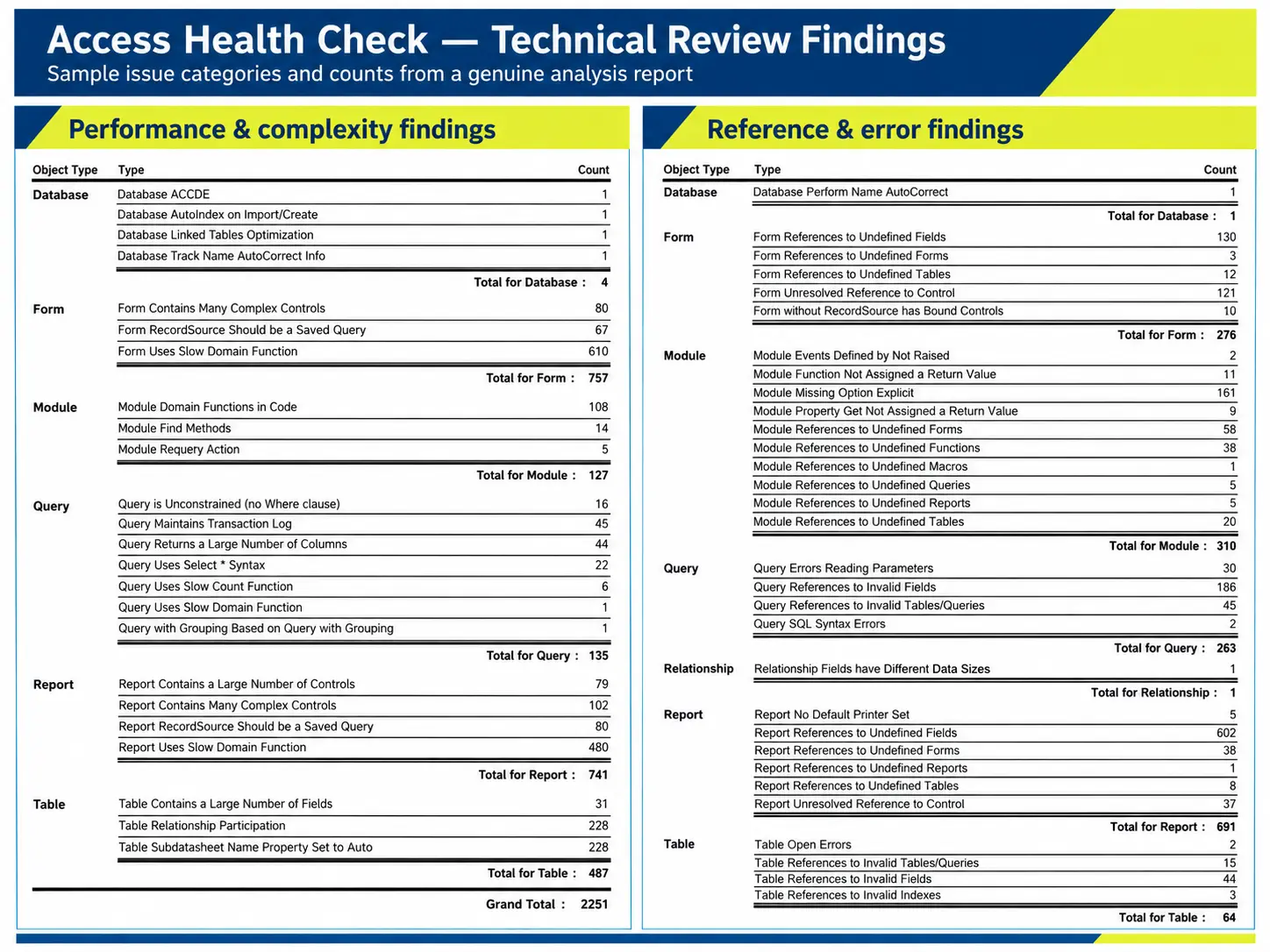
A written record of every object in the database (tables, queries, forms, reports and modules) and how they depend on each other.
Once that exists, the system no longer rests on one person’s memory, and any competent developer can pick it up, including someone on your own team. Some clients commission the documentation on its own, with no other work attached.
Will you want to rewrite it all?
No. If something needs fixing we fix it, and we leave the rest alone. Anything larger gets scoped and priced first, so you can decide whether it’s worth doing.
The code and the documentation are yours either way. We work with IT departments regularly, and you stay in charge of what goes live.
Case studies
 Commercial Catering Service & Maintenance (field service)
Aire Valley Catering
Field service apps that work with no signal
Aire Valley Catering’s engineers work in commercial kitchens across the UK, often with no usable signal, and every job still has to be recorded. We built four production…
View case study
Commercial Catering Service & Maintenance (field service)
Aire Valley Catering
Field service apps that work with no signal
Aire Valley Catering’s engineers work in commercial kitchens across the UK, often with no usable signal, and every job still has to be recorded. We built four production…
View case study
 Transport and logistics
ACC Worldwide
A faster SQL Server system, noticed on day one
ACC Worldwide’s staff used one business system all day, every day, and it was slow. We worked on the SQL Server environment behind it. The speed-up was immediate,…
View case study
Transport and logistics
ACC Worldwide
A faster SQL Server system, noticed on day one
ACC Worldwide’s staff used one business system all day, every day, and it was slow. We worked on the SQL Server environment behind it. The speed-up was immediate,…
View case study
 Travel and leisure (adventure travel and expeditions)
Jagged Globe
Keeping bookings, customer records and the website in step
Jagged Globe runs on an internal database and a booking website that have to agree every day, and sometimes they didn’t. We traced and fixed the transfers between…
View case study
Travel and leisure (adventure travel and expeditions)
Jagged Globe
Keeping bookings, customer records and the website in step
Jagged Globe runs on an internal database and a booking website that have to agree every day, and sometimes they didn’t. We traced and fixed the transfers between…
View case study
Got VBA no one can follow?
Send us the database, or tell us what the code is meant to do and what it’s doing instead. We’ll let you know what’s in it, what’s broken and what it would take to put right.
If you’re not sure the code is the problem, Access support and development is the wider starting point.