
Your Access database won’t open, or it has opened with data missing. Stop there, and don’t try anything else yet.
Most of the time this can be put right. Usually the file can be repaired back to working order. When it can’t, we recover the tables and records and rebuild them into a clean database that your existing interface will open. You don’t need to know what’s wrong.
Ring now and read us the error message. Access repair and Access database recovery are what CDE Systems has done since 1999.

Before you try anything else
Protect the file first. Then we can look at what’s gone wrong.
- Get everyone outAsk everyone to close the database. Stop using it until you’ve made a safe copy.
- Make a copyCopy the data file somewhere safe and leave that copy untouched. This is the most important step.
- Keep the original safeIf you try Compact and Repair, work on a separate copy. Never run it on your only copy.
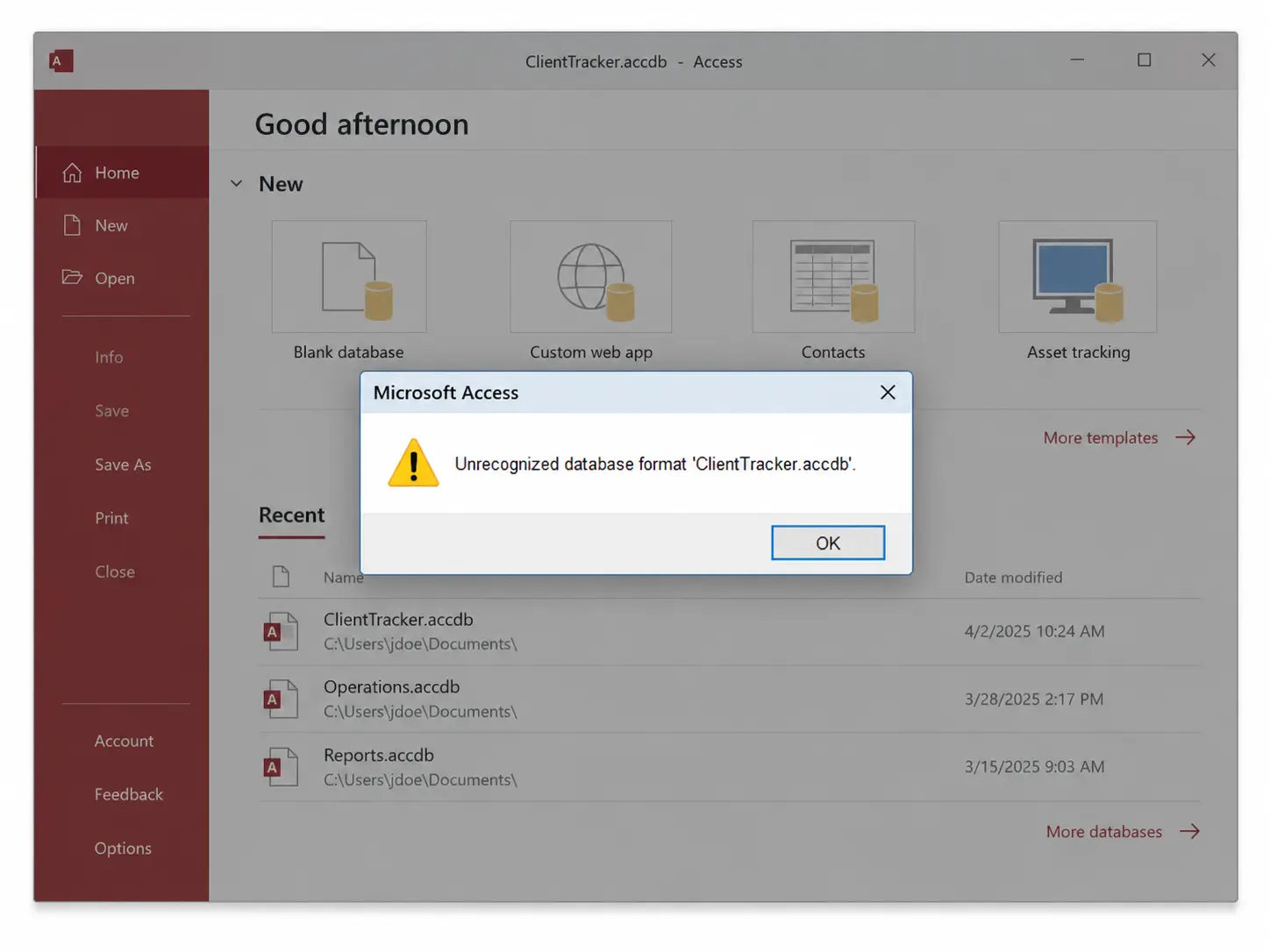
Seeing an error like this?
Call 0114 249 1036. Read us the message, or send a screenshot, and tell us what happened just before it appeared.
If you’ve already tried a repair, tell us what you did. We’ll help you work out the next step.
What happens when you ring
- You speak to an Access specialist. Read out the error, or send a photo of the screen.
- We connect by remote support, with you watching. It’s one download and nothing gets installed.
- We work on a copy. The original file is never the one we operate on.
- We find what’s damaged. It’s usually one table or one object, not the whole database.
- We try the gentlest fix first. That’s a repair in place. If it doesn’t hold, we import into a clean database, then extract object by object. If the file structure itself is damaged, we read the data out record by record.
- You get back a working database with your interface attached, and a plain account of what was recovered and what wasn’t.
If something isn’t coming back, we’ll tell you early and not at the end. Most jobs are dealt with the same day.
Problems we repair
- A database that won’t open, or opens and closes straight away
- “Unrecognized database format”, or an error saying the database is in an inconsistent state
- #Error or #Deleted where the data used to be
- Corruption after a power cut, a network drop or a PC crashing mid-save
- A data file that has hit Access’s 2GB limit and stopped saving
- Forms that won’t open in design view, or code that won’t compile after a crash
- AutoNumber fields that have gone wrong and broken the links between tables
- A lock file (.laccdb) left behind and keeping everyone out
- An old .mdb file that nothing on a current PC will open
- Records deleted by accident, or the file overwritten with last month’s copy
- A backup that won’t restore
Talk to an Access specialist
Tell us what’s happening with your database.
Once you’re working again
Access databases rarely corrupt for no reason. These are the causes we see most often:
- Several people sharing one unsplit file. It’s the most common cause, and the fix is permanent
- A data file reached over wifi, a NAS or a VPN
- Antivirus scanning the file while it’s open
- Attachments and images stored inside the database, pushing it towards 2GB
- Backups that have never been test-restored
An Access health check will tell you which of these applies to you. It costs £495 (+VAT), fixed.
If nothing is corrupt but people still can’t work, that’s emergency Access support. For SQL Server or another database, see database recovery and data rescue.
Case studies
 Commercial Catering Service & Maintenance (field service)
Aire Valley Catering
Field service apps that work with no signal
Aire Valley Catering’s engineers work in commercial kitchens across the UK, often with no usable signal, and every job still has to be recorded. We built four production…
View case study
Commercial Catering Service & Maintenance (field service)
Aire Valley Catering
Field service apps that work with no signal
Aire Valley Catering’s engineers work in commercial kitchens across the UK, often with no usable signal, and every job still has to be recorded. We built four production…
View case study
 Transport and logistics
ACC Worldwide
A faster SQL Server system, noticed on day one
ACC Worldwide’s staff used one business system all day, every day, and it was slow. We worked on the SQL Server environment behind it. The speed-up was immediate,…
View case study
Transport and logistics
ACC Worldwide
A faster SQL Server system, noticed on day one
ACC Worldwide’s staff used one business system all day, every day, and it was slow. We worked on the SQL Server environment behind it. The speed-up was immediate,…
View case study
 Travel and leisure (adventure travel and expeditions)
Jagged Globe
Keeping bookings, customer records and the website in step
Jagged Globe runs on an internal database and a booking website that have to agree every day, and sometimes they didn’t. We traced and fixed the transfers between…
View case study
Travel and leisure (adventure travel and expeditions)
Jagged Globe
Keeping bookings, customer records and the website in step
Jagged Globe runs on an internal database and a booking website that have to agree every day, and sometimes they didn’t. We traced and fixed the transfers between…
View case study