

If your Access database is running slow, throwing errors or has become hard to change, it can be difficult to tell how serious the problem is or what to do first. That’s harder still if you didn’t build it and nobody left any notes.
An Access database health check is a sensible place to start. CDE Systems goes through a copy of your database and tells you in writing, in plain English, what shape it’s in and what we’d do about it.
It costs £495 (+VAT), fixed. The report belongs to you whatever you decide afterwards, and that includes deciding to do nothing or taking it to another supplier.
| Price | £495 (+VAT) fixed |
| You send | A copy of the database, by secure upload |
| You get | A written report, with a non-technical summary for management |
| How long | Most are done within a few days of us getting access |
| Covers | Access 2003 through to Microsoft 365 |
| Afterwards | No obligation. Take the report to anyone you like |
Signs it’s worth doing
- It’s slow, or it throws errors that no one can explain
- It has corrupted before
- Adding anything new is hard, and people have stopped asking
- There are several versions in circulation
- The backups have never been tested
- It struggles when people work remotely
- Someone has asked about security or compliance and there wasn’t an answer
- You’ve been quoted for a replacement and want a second opinion
Most of the Access systems we see have grown over years, sometimes decades. They still work. The strain shows because the business has changed around them, and that isn’t a failing on anyone’s part.
What we review
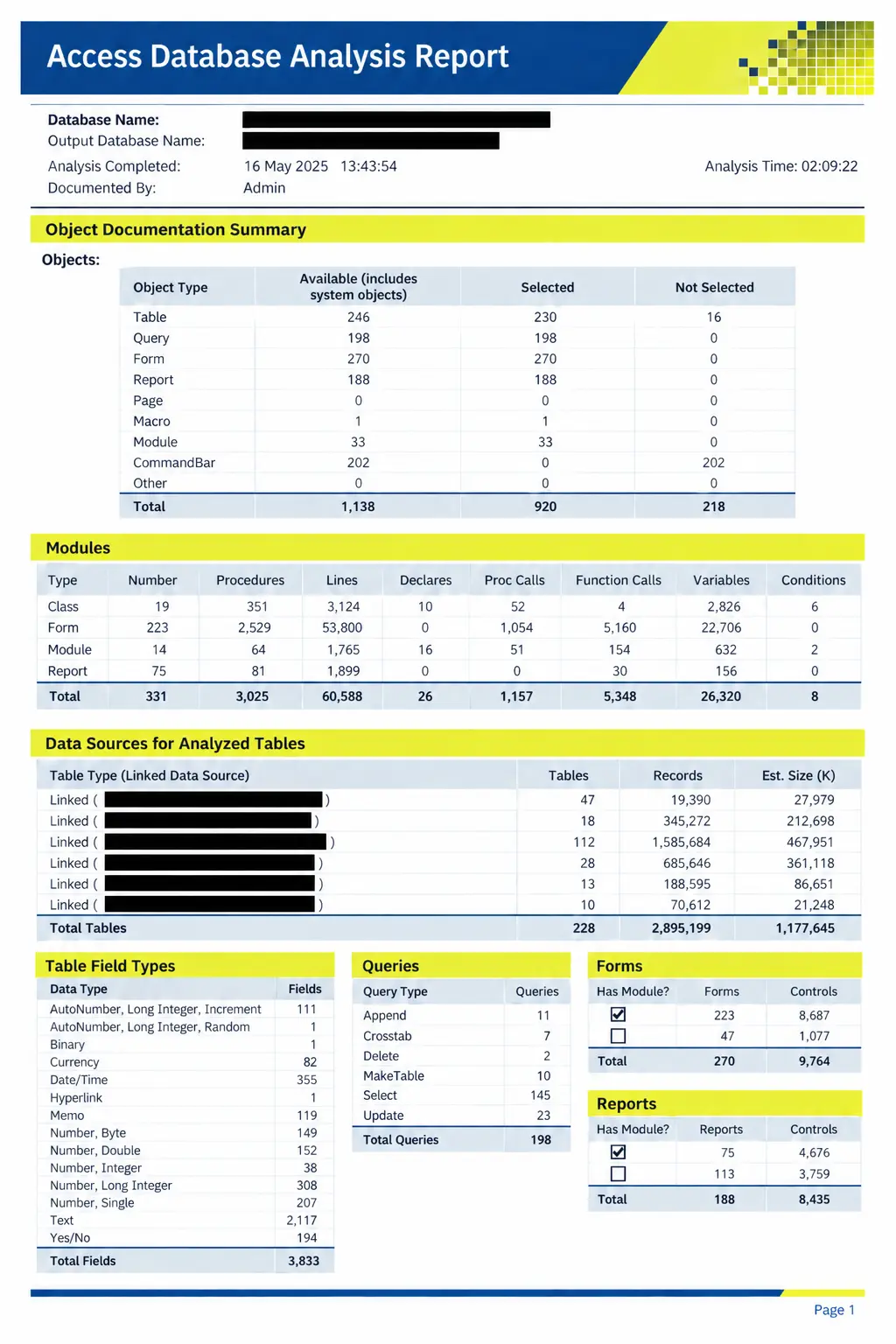
Structure. Tables, relationships, data quality, indexing, query design, and how big it is and how fast it’s growing.
Performance. Slow queries, network bottlenecks, and how much traffic passes between the interface and the data.
Stability. The risk of corruption, how it behaves with several people in, whether it has been split, and how it’s deployed.
Security. Who can get at what, whether sensitive data is exposed, backups and business continuity.
Supportability. The state of the code, the gaps in the documentation, and whatever is likely to trip up the next person who looks after it.
Migration readiness, if you’re considering a move to SQL Server, Azure SQL, web or mobile.
We work through a structured list of checks that we’ve built up over many years of running clients’ Access systems, so you’re getting more than a look round and an opinion.
What’s in the report
- Management summary. Non-technical, and written so you can forward it
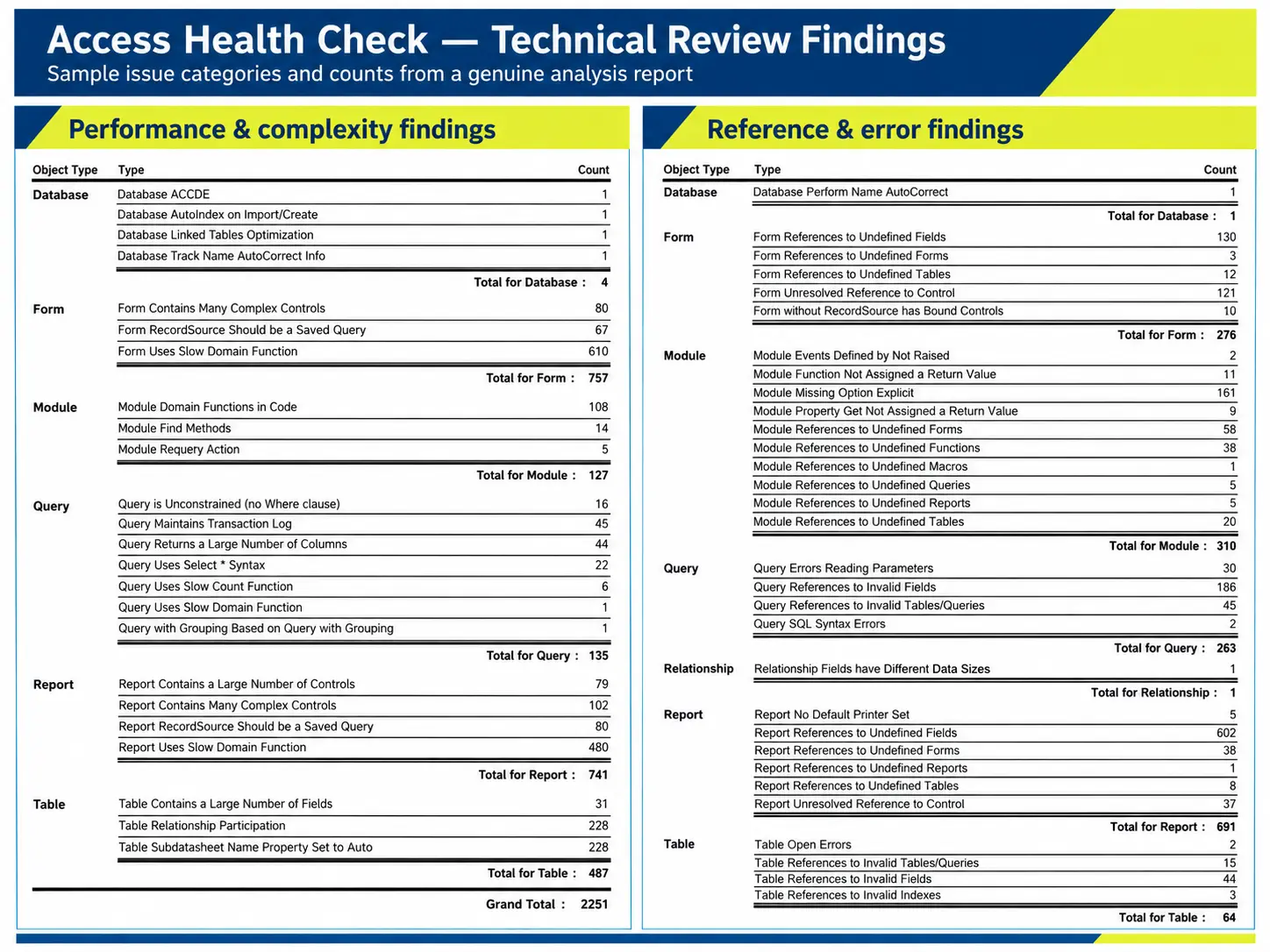
- Issues found, in order of risk and not in order of how interesting they are
- Quick wins. Things that can often be done straight away
- Recommended actions, set against what you’re trying to achieve
- Options for later, which might be support, enhancement, migration or modernisation
What usually happens next
People generally end up on one of four routes.
- Carry on as you are. The system is healthy and only needs minor improvements. If that’s the case, the report says so.
- Ongoing support. It’s still fit for purpose and would benefit from someone looking after it. See Access support and development.
- Migration. The data moves to SQL Server or Azure and the interface stays. See Access migration and upgrades.
- Modernisation. Web, mobile or cloud gets added to what you’ve already paid for. See Access modernisation.
Something to send your manager
If you need sign-off, you can paste this into an email.
I’d like to get an independent health check on our Access database from CDE Systems, who have specialised in Access since 1999. It costs £495, fixed. They review a copy remotely and send a written report, which has a non-technical summary, the risks in priority order, some quick wins and recommended next steps. Most are done within a few days. The report is ours to keep, and we’re not obliged to use them for any work that follows.
Questions
I don’t know enough about it to brief you. That’s fine, you don’t need to. Send us the copy and we’ll find out.
Do I need to send you the database? Usually, yes. A copy is fine, along with any documentation you have. It goes through our secure upload, not by email, and we’ll confirm what happens to it afterwards.
Will you say if it’s beyond saving? Yes. There wouldn’t be much point in an independent assessment otherwise.
Do I have to use you afterwards? No.
Can you do the work the report recommends? Yes, and we often do. We carry on supporting systems after we’ve reviewed them, which keeps the recommendations realistic, because we’re the ones who’d have to carry them out.
Case studies
 Commercial Catering Service & Maintenance (field service)
Aire Valley Catering
Field service apps that work with no signal
Aire Valley Catering’s engineers work in commercial kitchens across the UK, often with no usable signal, and every job still has to be recorded. We built four production…
View case study
Commercial Catering Service & Maintenance (field service)
Aire Valley Catering
Field service apps that work with no signal
Aire Valley Catering’s engineers work in commercial kitchens across the UK, often with no usable signal, and every job still has to be recorded. We built four production…
View case study
 Transport and logistics
ACC Worldwide
A faster SQL Server system, noticed on day one
ACC Worldwide’s staff used one business system all day, every day, and it was slow. We worked on the SQL Server environment behind it. The speed-up was immediate,…
View case study
Transport and logistics
ACC Worldwide
A faster SQL Server system, noticed on day one
ACC Worldwide’s staff used one business system all day, every day, and it was slow. We worked on the SQL Server environment behind it. The speed-up was immediate,…
View case study
 Travel and leisure (adventure travel and expeditions)
Jagged Globe
Keeping bookings, customer records and the website in step
Jagged Globe runs on an internal database and a booking website that have to agree every day, and sometimes they didn’t. We traced and fixed the transfers between…
View case study
Travel and leisure (adventure travel and expeditions)
Jagged Globe
Keeping bookings, customer records and the website in step
Jagged Globe runs on an internal database and a booking website that have to agree every day, and sometimes they didn’t. We traced and fixed the transfers between…
View case study
Request an Access database health check
Tell us what the database does and what’s worrying you about it, and we’ll arrange the secure upload. You’ll have the written report within a few days in most cases, for £495 (+VAT).