

If your SQL Server has been running the business for years without anyone formally looking at it, there’s no easy way to know what state it’s in. That’s especially true of the backups. A job that shows green every night tells you the job ran, not that you could get your data back.
A SQL Server health check is the sensible way to find out. CDE Systems reviews the whole environment remotely and restores your backups to prove they work. Then we tell you in writing what’s at risk, what’s slowing the server down and what we’d do about it.
It costs £495 (+VAT), fixed. The report is yours whatever you decide afterwards, and that includes doing nothing or giving it to another supplier. If you’re not sure it’s worth it, we’ll spend half an hour on the phone with you first, free.
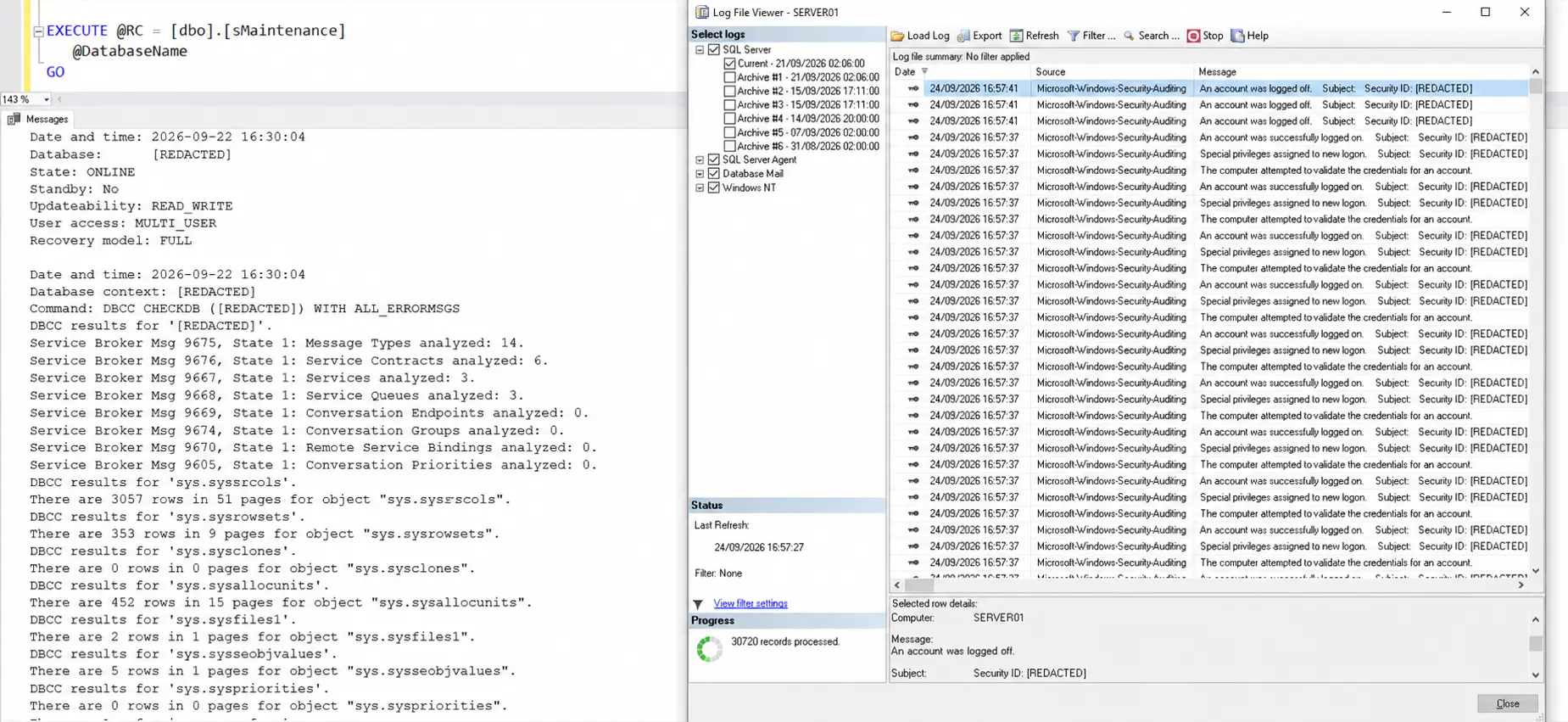
| Price | £495 (+VAT) fixed |
|---|---|
| How | A remote review of your server |
| Backups | Tested by restoring them, not by reading a log |
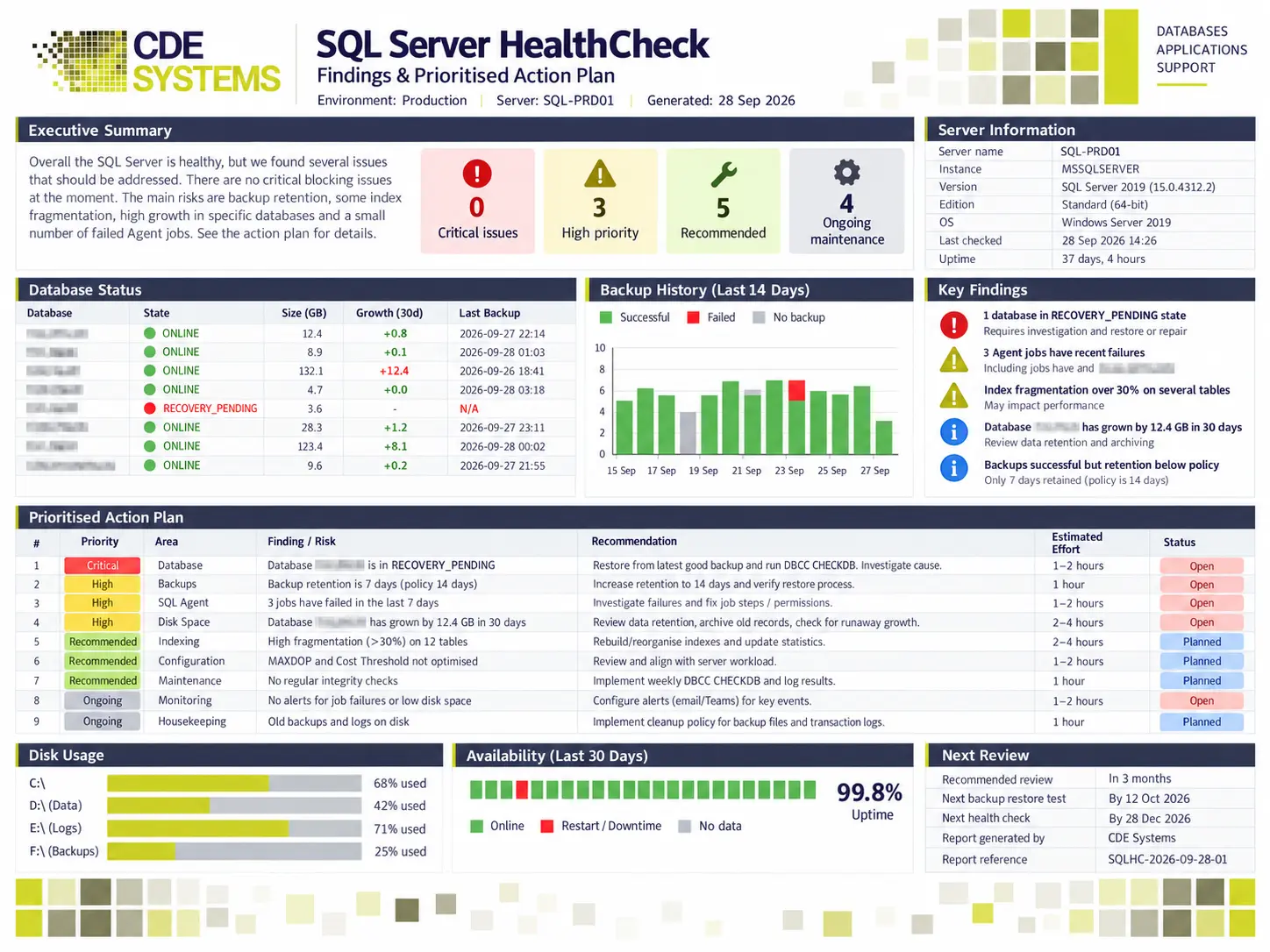
| You get | A plain-English summary for management, a full technical report and a prioritised action plan |
| Afterwards | No obligation. Take the report to anyone you like |
Signs it’s worth doing
- The server has never had a formal review
- Performance has become hard to predict
- You’re not certain the backups are good
- It’s critical to the business, and nobody has checked it in years
- You’re planning an upgrade or a migration
- You’ve inherited it and don’t know what state it’s in
- Someone has asked you to evidence your disaster recovery, and you’d like to check first
A server that has run quietly for years will have picked up a few habits along the way. Finding them is the point of the exercise, and it isn’t a judgement on whoever set the server up.
We restore your backups
Restoring clients’ backups is routine for us, because a backup that has never been restored is a hope, not a backup. Alongside that, we check for:
- Backup jobs running on everything, including the databases added since the plan was written
- Backups that restore when we test them
- Integrity checked, so you aren’t backing up corruption night after night
- Retention that matches how far back you’d really need to go
- Recovery steps that are written down somewhere other than one person’s head
- Copies held off-site and offline, because ransomware goes looking for the backup server first
What else we review
We work through a set of checks built up over many years of running clients’ SQL Server systems, so the report deals with what causes real problems.
Database health. Integrity checks, error and maintenance logs, transaction log growth, index fragmentation, capacity and disk space, and settings left at their defaults since installation.
Performance. Long-running queries, missing and unused indexes, blocking and locking, resource bottlenecks, and the settings that often cost 20–30% of the server’s speed. Hardware, server and network configuration too. More on SQL Server performance tuning
Security. Logins and permissions, including those belonging to people who have left. Server and database configuration, encryption, the sa account, service account privileges, and whether anything is being audited.
Errors. The entries that turn up in the logs every night that no one has had time to look at.
Disaster recovery. If the server failed tomorrow, how long would it take to get working again, and how much data would you lose? Most people have never been given those two numbers for their own system. You’ll have both, and we’ll test and document how ready you are.
Can’t we run a script ourselves?
You can, and it’s worth doing. sp_Blitz is free and very good, and it will list what’s wrong with your SQL Server in about thirty seconds. We use it ourselves.
What it can’t do is say which of those findings matter for your business, or what each fix is worth against what it costs. And no script can restore a backup and check that the data is all there.
So run it. If the list is short and makes sense to you, you may not need us. If it runs to a few hundred lines and you’re not sure where to start, that’s the conversation to have.
What’s in the report
- Executive summary. Plain English, for whoever signs things off
- Technical report. The full findings, for the IT team, support partner or DBA
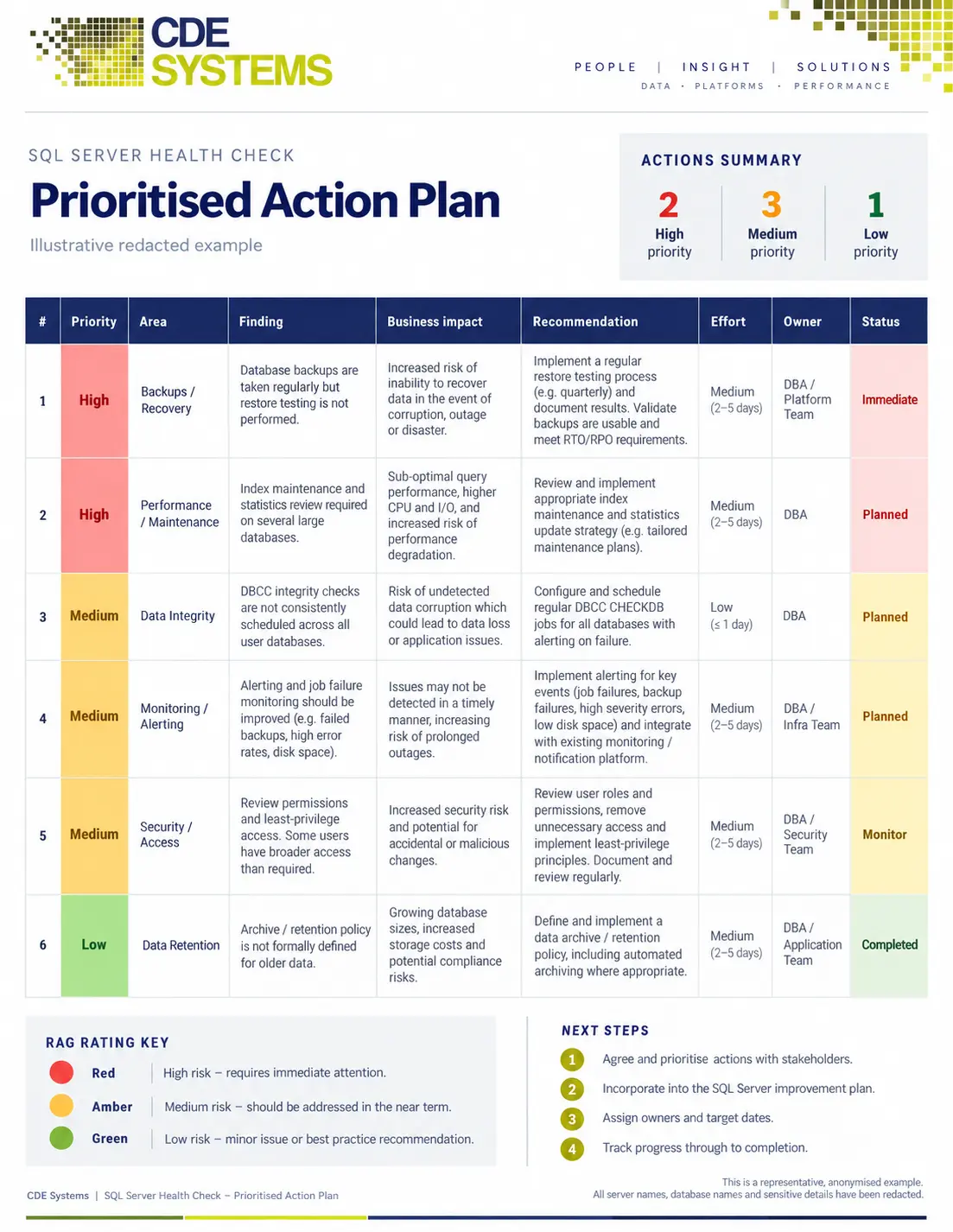
- Prioritised action plan, sorted by what matters:
| Priority | What it means |
|---|---|
| Critical | Fix now. Usually a backup that wouldn’t restore, or corruption |
| High | A real risk, but nothing is on fire today |
| Recommended | Worth doing and worth the cost, but not urgent |
| Ongoing maintenance | Things that should be happening routinely and aren’t |
What usually happens next
- Carry on as you are. The server is in good shape and needs some housekeeping. If so, the report says so.
- Ongoing support. It’s fit for purpose and would benefit from someone keeping an eye on it. See SQL Server support and consultancy.
- Performance work, scoped against what the report found. See SQL Server performance tuning.
- An upgrade or migration, especially if the version is out of support. See SQL Server migration and upgrades.
Something to send your manager
If you need sign-off, you can paste this into an email.
I’d like to get an independent health check on our SQL Server from CDE Systems, who have specialised in SQL Server since 1999. It costs £495 (+VAT), fixed. They review the server remotely and test our backups by actually restoring them. We get a non-technical summary, a full technical report and an action plan in priority order, including how long recovery would take and how much data we’d lose if the server failed. The report is ours to keep, and we’re not obliged to use them for any work that follows.
Questions
I don’t know enough about the server to brief you. That’s fine. Tell us what runs on it and what’s worrying you, and we’ll find out the rest.
Do you need access to our server? Yes, by remote support. Sessions are attended, you can end one at any time, and nothing stays installed afterwards. We need written authorisation before we connect to a live system. How remote support works
Will you say if it’s in good shape? Yes. There wouldn’t be much point in an independent review otherwise.
Do I have to use you afterwards? No.
Can you do the work the report recommends? Yes, and we often do. We carry on supporting systems after we’ve reviewed them, which keeps the recommendations realistic, because we’re the ones who’d have to carry them out.
Case Studies
 Commercial Catering Service & Maintenance (field service)
Aire Valley Catering
Field service apps that work with no signal
Aire Valley Catering’s engineers work in commercial kitchens across the UK, often with no usable signal, and every job still has to be recorded. We built four production…
View case study
Commercial Catering Service & Maintenance (field service)
Aire Valley Catering
Field service apps that work with no signal
Aire Valley Catering’s engineers work in commercial kitchens across the UK, often with no usable signal, and every job still has to be recorded. We built four production…
View case study
 Transport and logistics
ACC Worldwide
A faster SQL Server system, noticed on day one
ACC Worldwide’s staff used one business system all day, every day, and it was slow. We worked on the SQL Server environment behind it. The speed-up was immediate,…
View case study
Transport and logistics
ACC Worldwide
A faster SQL Server system, noticed on day one
ACC Worldwide’s staff used one business system all day, every day, and it was slow. We worked on the SQL Server environment behind it. The speed-up was immediate,…
View case study
 Travel and leisure (adventure travel and expeditions)
Jagged Globe
Keeping bookings, customer records and the website in step
Jagged Globe runs on an internal database and a booking website that have to agree every day, and sometimes they didn’t. We traced and fixed the transfers between…
View case study
Travel and leisure (adventure travel and expeditions)
Jagged Globe
Keeping bookings, customer records and the website in step
Jagged Globe runs on an internal database and a booking website that have to agree every day, and sometimes they didn’t. We traced and fixed the transfers between…
View case study
Request a SQL Server health check
Tell us which version you’re running, what sits on it and what’s worrying you, and we’ll arrange the remote review. If you’d rather talk first, the first half hour is free.