
Count the calls your office takes in a week from someone asking what the system already knows. Where’s my order? Can you send that certificate again? Has the engineer been yet? Can I have a copy of the March invoice?
Every one of them interrupts somebody, and none of them needed a person. With a portal, customers or colleagues look it up themselves, at 8pm if that’s when they think of it.
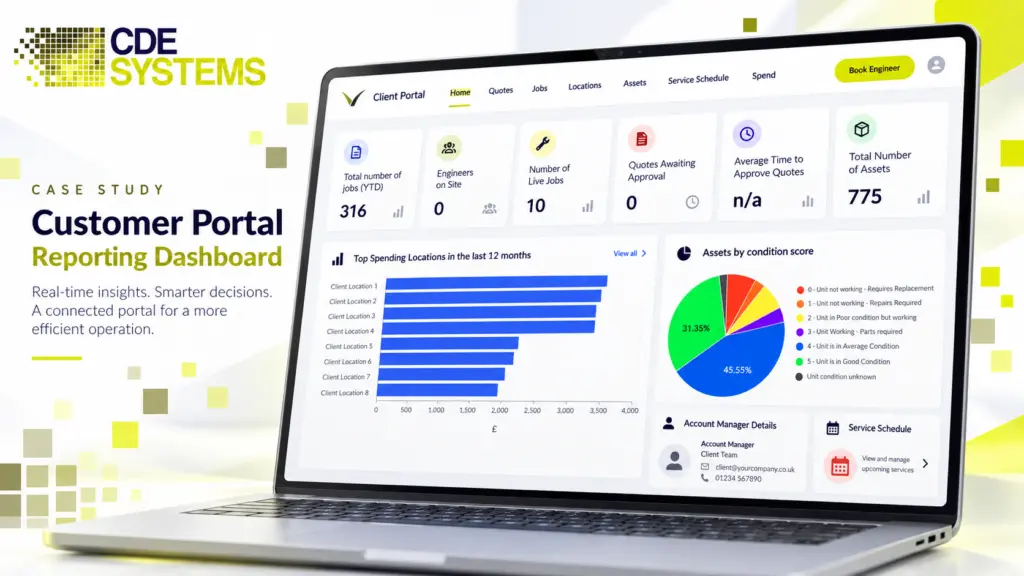
CDE Systems builds portals over the database you already have, starting with the question your office answers most. You decide exactly what customers can see, and your team carries on as before.
The calls a portal saves
The questions are reasonable. Customers want to know where things stand. The waste is that someone has to stop what they’re doing, find the record and read it out, often several times a day.
The answers are already in your system. A portal just lets the customer see them without the phone call.
What goes in a portal
Only what you choose. A portal is a window onto part of the system, and you decide which part each group sees.
Customers usually want to know where their order or job has got to and when it’s arriving. They want to accept a quote, download an invoice or statement, or look back at their service history. Certificates and documents, booking a slot, reporting a fault and keeping their own contact details current are common too.
Suppliers and subcontractors get purchase orders, delivery confirmations, drawings and specifications. They can also send invoices, keep their compliance documents in date, and see the jobs and timesheets allocated to them.
Your own staff who only need to look something up can use it too, without a licence for the main system.
The part people underestimate is the dull half. Statements, documents and history generate most of the calls.
Keeping every customer’s data apart
One customer must never see another’s data. That means not by guessing a web address, and not by changing a number in the address bar. It can’t happen because an account was set up wrong, either.
That’s what goes wrong on portals. It’s usually found by a customer, not by you, and it can end a commercial relationship and become a reportable data breach on the same afternoon.
So separation is built into how the data is fetched, not added to the page afterwards. Every request is checked on the server against who’s asking, every time. Access is set by role and by account, tested on purpose, and logged, so you can answer “who saw what, and when” months later. It’s the least visible part of the job and the one most worth paying for.
Who logs in, and how
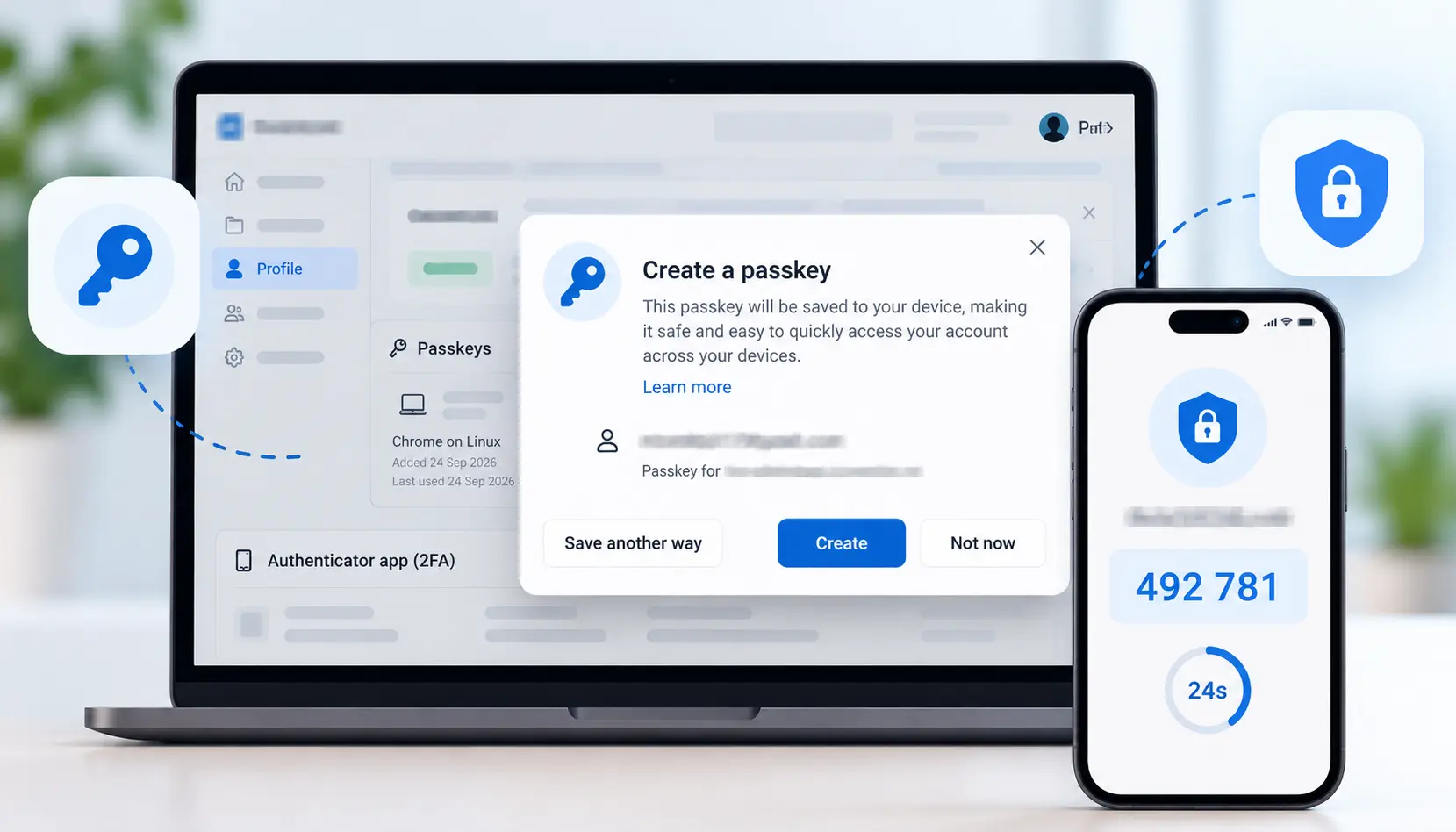
Customers aren’t employees, so they shouldn’t sit in your staff directory. Each person gets an account of their own. They confirm their email address, reset their own password when they forget it, and use MFA if the data calls for it.
Most portals work by invitation, so you control who gets in. One customer can have several users with different rights. Their buyer might see prices while their site manager sees only delivery dates. When someone leaves that customer’s business, their access ends cleanly, which is the step most often forgotten.
Some business customers’ IT departments will want sign-in to go through Microsoft Entra ID, and that can be done. However people sign in, a portal account never opens a way into your internal systems.
Documents
Portals tend to become document libraries. Certificates, drawings, test results, reports and invoices are what people come back for.
The files live outside the database so it stays lean, and they’re handed out by the application, never from an open folder. Every download is checked against the user’s rights and logged. Expiry dates are tracked where they matter, and earlier versions are kept, so you can say which certificate a customer had last March.
Some customers would rather be sent things than log in. The same documents and figures can go to them as a scheduled PDF or spreadsheet. In a regulated sector, the audit trail is the point. Azure and cloud
Their numbers, not only their records
Most portals show customers their records. The better ones show what those records add up to.
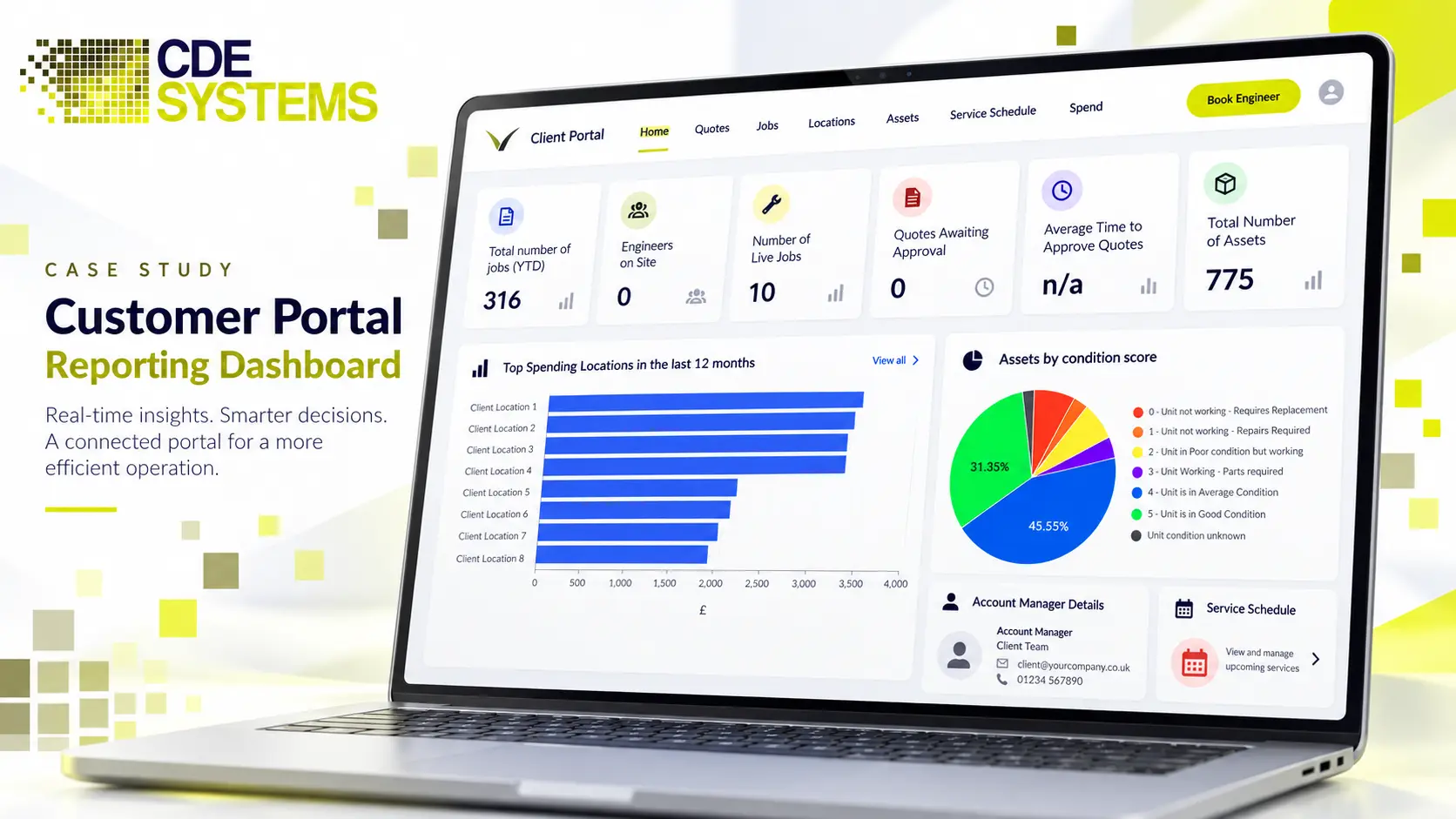
That could be their spend this month or this year, against last year, by site or department. It could be jobs raised, completed and outstanding, or response times against what you’ve promised. For customers who get audited, a view of which certificates are current and which expire next month can justify the portal on its own.
It replaces the “can you send a breakdown for our board meeting?” email, which can cost someone half a day. And a customer who can see at renewal exactly what you did for them all year is harder to lose.
Totals are where separation fails most easily, because a figure can quietly include rows that belong to someone else. A wrong record is embarrassing. A total that reveals another customer’s volumes is far worse. Every figure gets the same server-side check as every record, and it’s tested that way.
For your own management information Reporting and business intelligence
What it’s worth
This is one of the easier business cases to make, because you can count it. Take the calls and emails in a week that a portal would answer, and multiply by the time each one takes, including the interruption. For most businesses we’ve done this with, it comes to between half a day and two days of someone’s time a week.
Then there’s what you don’t see. Customers who looked instead of ringing, chasers nobody had to send, and invoices paid sooner because the statement was there. There are complaints that never happened because the customer could see where their job was. It helps with data protection too, because customers who can see and update their own details make fewer requests of you.
Built on the system you already have
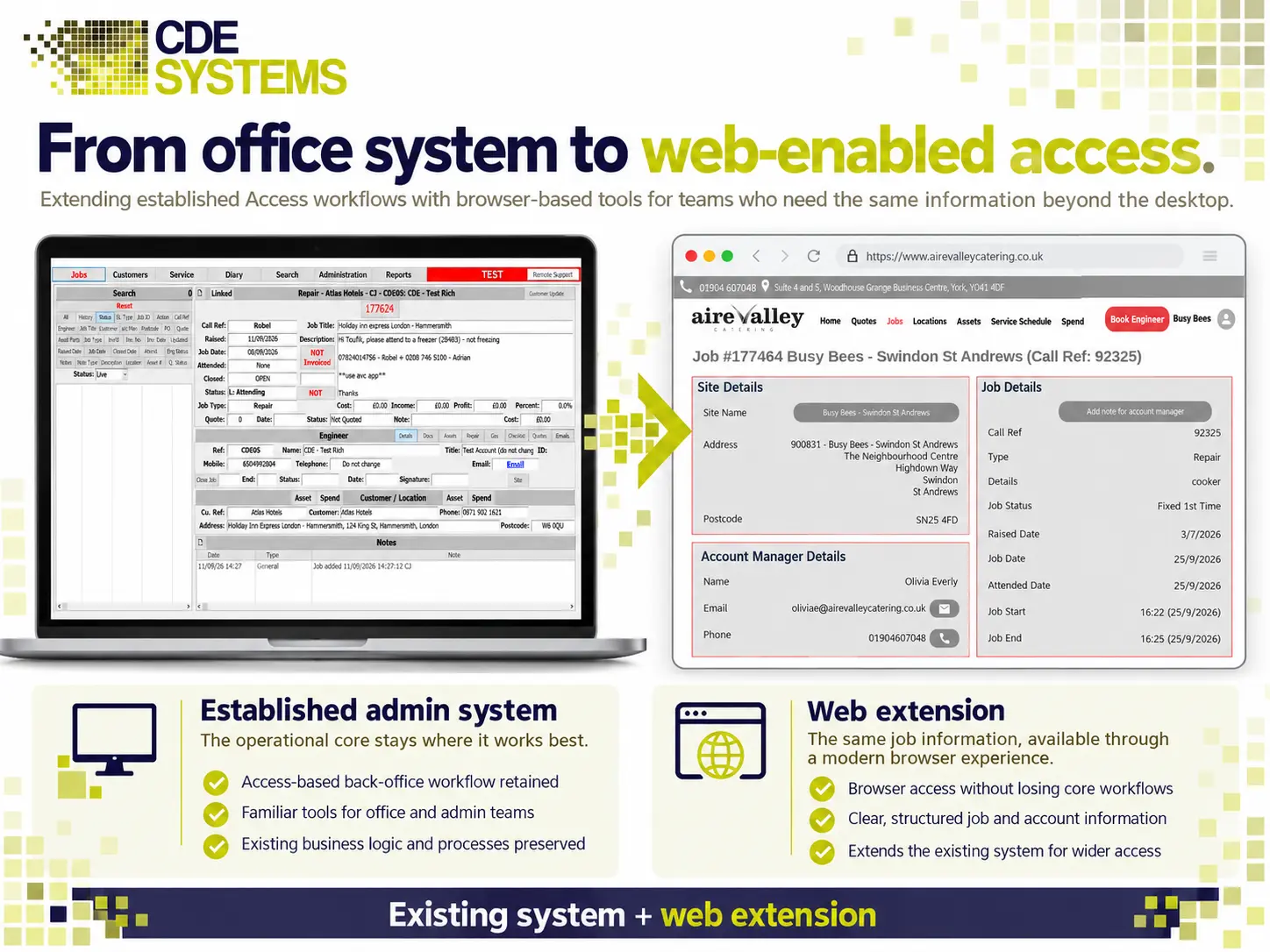
The portal works directly on your existing database, so there’s no second copy of anything to keep in step. A job your team updates shows up for the customer straight away. A request or document the customer sends lands in your staff’s usual system, in the place they’d look for it.
- Web: React and Next.js, and it works on a phone, because many customers will use one
- Back end and APIs: .NET and C#, or Node.js and NestJS
- Data: SQL Server or Azure SQL, with your existing application still connected. Access migration and upgrades
- Hosting: Azure, with the database on a private endpoint and never exposed
- Your branding, because to your customers the portal is you
Start small
The usual mistake is to build everything and launch it to everybody.
Pick the one question your office answers most, usually order or job status, and build that. Give it to a handful of customers who’ll tell you honestly what’s wrong with it, then widen it once it’s earning its keep. Your team works exactly as before throughout.
Portals in use
 Commercial Catering Service & Maintenance (field service)
Aire Valley Catering
Field service apps that work with no signal
Aire Valley Catering’s engineers work in commercial kitchens across the UK, often with no usable signal, and every job still has to be recorded. We built four production…
View case study
Commercial Catering Service & Maintenance (field service)
Aire Valley Catering
Field service apps that work with no signal
Aire Valley Catering’s engineers work in commercial kitchens across the UK, often with no usable signal, and every job still has to be recorded. We built four production…
View case study
 Transport and logistics
ACC Worldwide
A faster SQL Server system, noticed on day one
ACC Worldwide’s staff used one business system all day, every day, and it was slow. We worked on the SQL Server environment behind it. The speed-up was immediate,…
View case study
Transport and logistics
ACC Worldwide
A faster SQL Server system, noticed on day one
ACC Worldwide’s staff used one business system all day, every day, and it was slow. We worked on the SQL Server environment behind it. The speed-up was immediate,…
View case study
 Travel and leisure (adventure travel and expeditions)
Jagged Globe
Keeping bookings, customer records and the website in step
Jagged Globe runs on an internal database and a booking website that have to agree every day, and sometimes they didn’t. We traced and fixed the transfers between…
View case study
Travel and leisure (adventure travel and expeditions)
Jagged Globe
Keeping bookings, customer records and the website in step
Jagged Globe runs on an internal database and a booking website that have to agree every day, and sometimes they didn’t. We traced and fixed the transfers between…
View case study