
Your engineers are still filling in paper. Someone types it up on Monday, and by then the job has been invoiced wrong, the part that was fitted isn’t on the record, and the customer has rung to ask why.
An app fixes that, and you don’t need a new system to have one. Engineers record the job on their phone, with or without a signal, and it lands in the office system as soon as they’re connected.
CDE Systems builds field apps over the Access, SQL Server or bespoke database you already run. We start with one workflow, the office system stays as it is, and we look after the app once it’s live.
What the paper costs
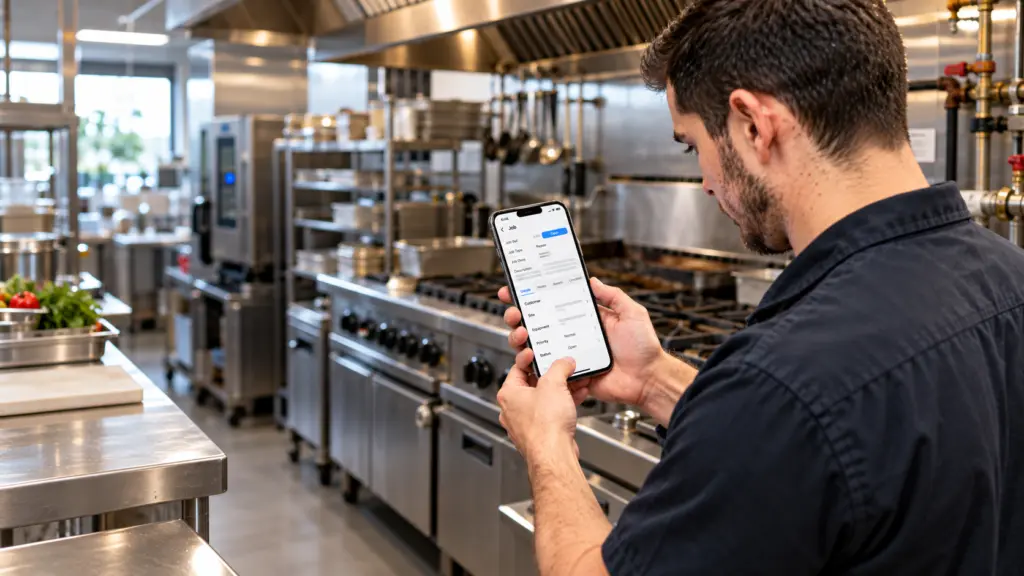
The work itself gets done. It’s everything after that slips. Job sheets come back late or not at all. Parts used on site don’t come off stock. Photos sit on someone’s personal phone, and a signature is on a piece of paper in a van.
Someone in the office then spends hours typing it in and chasing what’s missing. Invoices go out a week later than they could, and some of them are wrong. Nobody enjoys any part of it, least of all the person doing the typing.
A day with the app
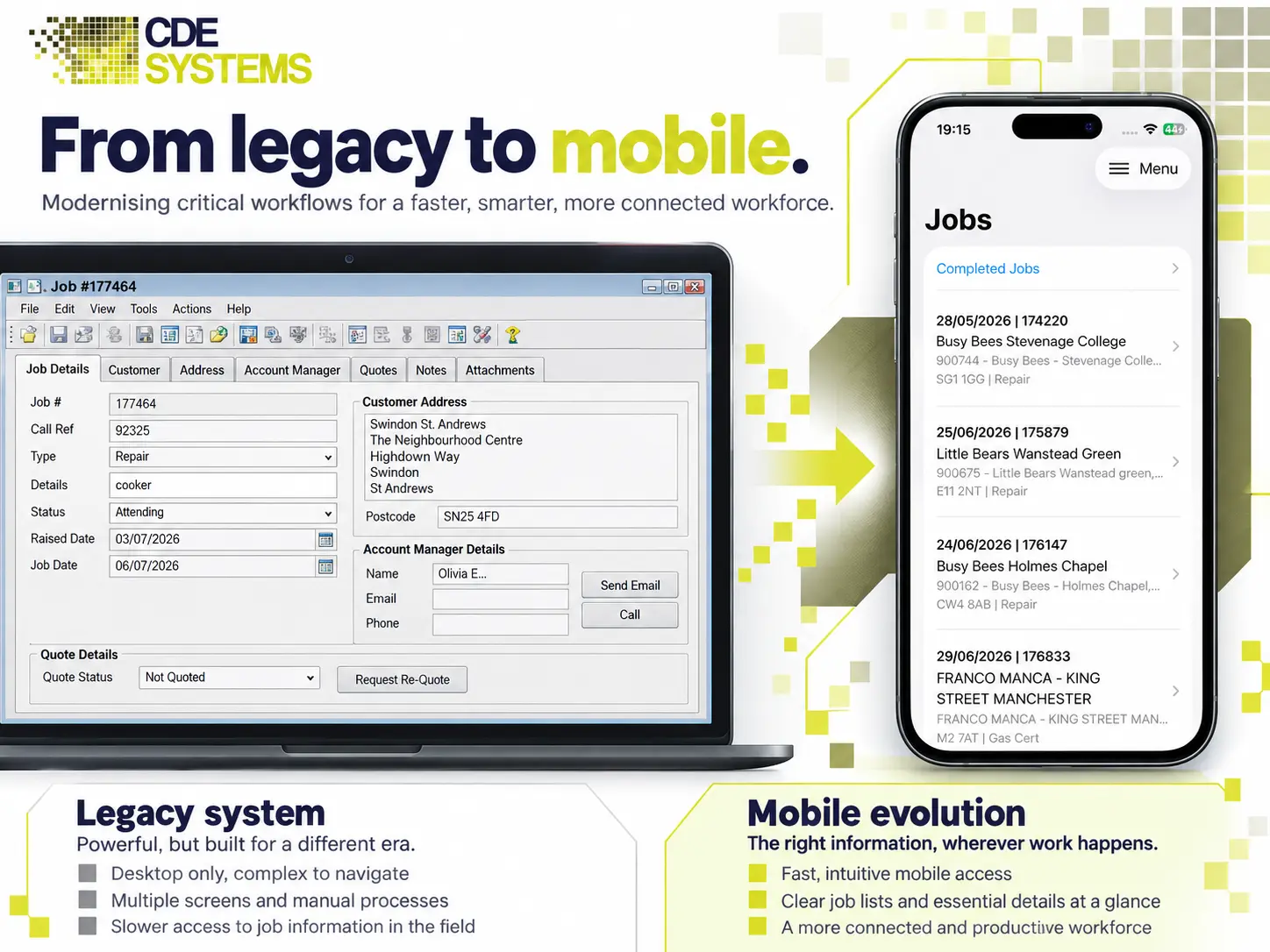
The engineer opens the app in the van and sees today’s jobs in order, with the address, the customer’s history and what’s expected.
On site, they tick off the work, add the parts used, take photos, scan the asset and get a signature on the phone. When they finish, or as soon as there’s a signal, it’s in the office system. The job is closed, the parts are off stock and the invoice can go that afternoon.
Nothing gets typed up on Monday.
Offline, which decides everything
This is where most mobile projects fail, and it’s the question to ask anyone quoting you. Engineers work in basements, plant rooms, lift shafts, rural sites and industrial units with no signal and no wifi. A web page stops dead there. A well-built app carries on.
- The day’s work is on the phone before they leave. Jobs, customers, asset history, parts and price lists.
- Everything is recorded on the device first, photos and signatures included, whether there’s a signal or not.
- It syncs on its own when a connection comes back. Nobody has to press anything.
- Two people changing the same record is handled by design, so it never causes a crash.
- Nothing is lost if the battery dies halfway through a job.
An app that only works with a connection is a website in a costume, and engineers stop opening it within a fortnight.
What the phone adds
This is the reason to build an app and not just a web page.
- Camera. Photos of finished work, damage, serial plates and meter readings, filed against the job automatically.
- Barcode and QR scanning. Assets, parts and stock, scanned instead of a fourteen-digit code typed with cold hands.
- Signature on screen, timestamped, so proof of completion stops being paper.
- GPS. Where the job was done, and for how long.
- Push notifications for urgent callouts and reallocated jobs.
- Phone and navigation built into the job, without copying a postcode into another app.
Who it’s for
Field service and maintenance engineers · delivery and transport · surveyors and inspectors · installers and fitters · plant and equipment hire · stocktaking and warehouse · compliance and safety checks.
The pattern is nearly always the same. A job is assigned, someone does it somewhere else, and the evidence has to get back into the system without being typed again.
Three questions worth settling early
Whose phones? Company devices are simpler to manage and cost more. Personal phones cost nothing but raise questions about what can go on them, and what happens when someone leaves. Both work, but the choice changes the design, so it’s worth deciding early.
What happens when one is lost? It will happen. The data on it should be encrypted, access should be removable centrally, and the device should be wipeable. Where you already use Intune or a similar tool, we work with it.
Who do you ring at 7am on a Monday? Us. Crash reporting and monitoring are built in, so we often know about a problem before you do, and we stay on to look after the app.
How it’s built
React Native for most business apps. One codebase gives iOS and Android the same app, and a fix reaches both at once. Over five years that matters most, because keeping an app working through new phones, OS updates and changing processes costs more than building it. With one app to maintain instead of two, that cost roughly halves. Many changes can also go out over the air, so a tweak to a form doesn’t wait on app store review.
Native Swift and Kotlin where there’s a reason. Where offline working or the device itself is the hard part, native can be the better tool. The Aire Valley Catering engineer apps are native for that reason, and their customer apps are React Native. We also support native apps somebody else built.
- An API over your existing database, so the app never talks to SQL Server directly. SQL Server integration and APIs
- Entra ID sign-in and MFA, so a leaver loses access with their account.
- Published on Google Play and the App Store, or sent straight to staff devices through Apple Business Manager, managed Google Play or your MDM. Customer apps usually go public, and internal apps usually go direct.
- Crash reporting and monitoring from day one.
If the data lives in Access, it usually needs to move to SQL Server or Azure SQL first. That’s a job in its own right, and worth doing anyway.
In stages
One workflow first, usually job completion, because that’s where the paper is. Two or three engineers try it, we find out what’s wrong while it’s cheap to change, and then it widens.
The office system runs unchanged throughout. Anyone still on paper carries on until the app has earned the switch.
Apps in daily use


 Commercial Catering Service & Maintenance (field service)
Aire Valley Catering
Field service apps that work with no signal
Aire Valley Catering’s engineers work in commercial kitchens across the UK, often with no usable signal, and every job still has to be recorded. We built four production…
View case study
Commercial Catering Service & Maintenance (field service)
Aire Valley Catering
Field service apps that work with no signal
Aire Valley Catering’s engineers work in commercial kitchens across the UK, often with no usable signal, and every job still has to be recorded. We built four production…
View case study
 Transport and logistics
ACC Worldwide
A faster SQL Server system, noticed on day one
ACC Worldwide’s staff used one business system all day, every day, and it was slow. We worked on the SQL Server environment behind it. The speed-up was immediate,…
View case study
Transport and logistics
ACC Worldwide
A faster SQL Server system, noticed on day one
ACC Worldwide’s staff used one business system all day, every day, and it was slow. We worked on the SQL Server environment behind it. The speed-up was immediate,…
View case study
 Travel and leisure (adventure travel and expeditions)
Jagged Globe
Keeping bookings, customer records and the website in step
Jagged Globe runs on an internal database and a booking website that have to agree every day, and sometimes they didn’t. We traced and fixed the transfers between…
View case study
Travel and leisure (adventure travel and expeditions)
Jagged Globe
Keeping bookings, customer records and the website in step
Jagged Globe runs on an internal database and a booking website that have to agree every day, and sometimes they didn’t. We traced and fixed the transfers between…
View case study
What’s still being done on paper?
Tell us what your engineers fill in and what happens to it afterwards. We’ll come back with what an app would involve, whether the data needs moving first, and what it would cost.