
Your Access database knows how the business works, including the bits nobody ever wrote down. The trouble is that the business has moved on around it. Engineers fill in paper on site and someone types it up later, managers ring the office when they need a figure, and customers phone to ask where their order has got to.
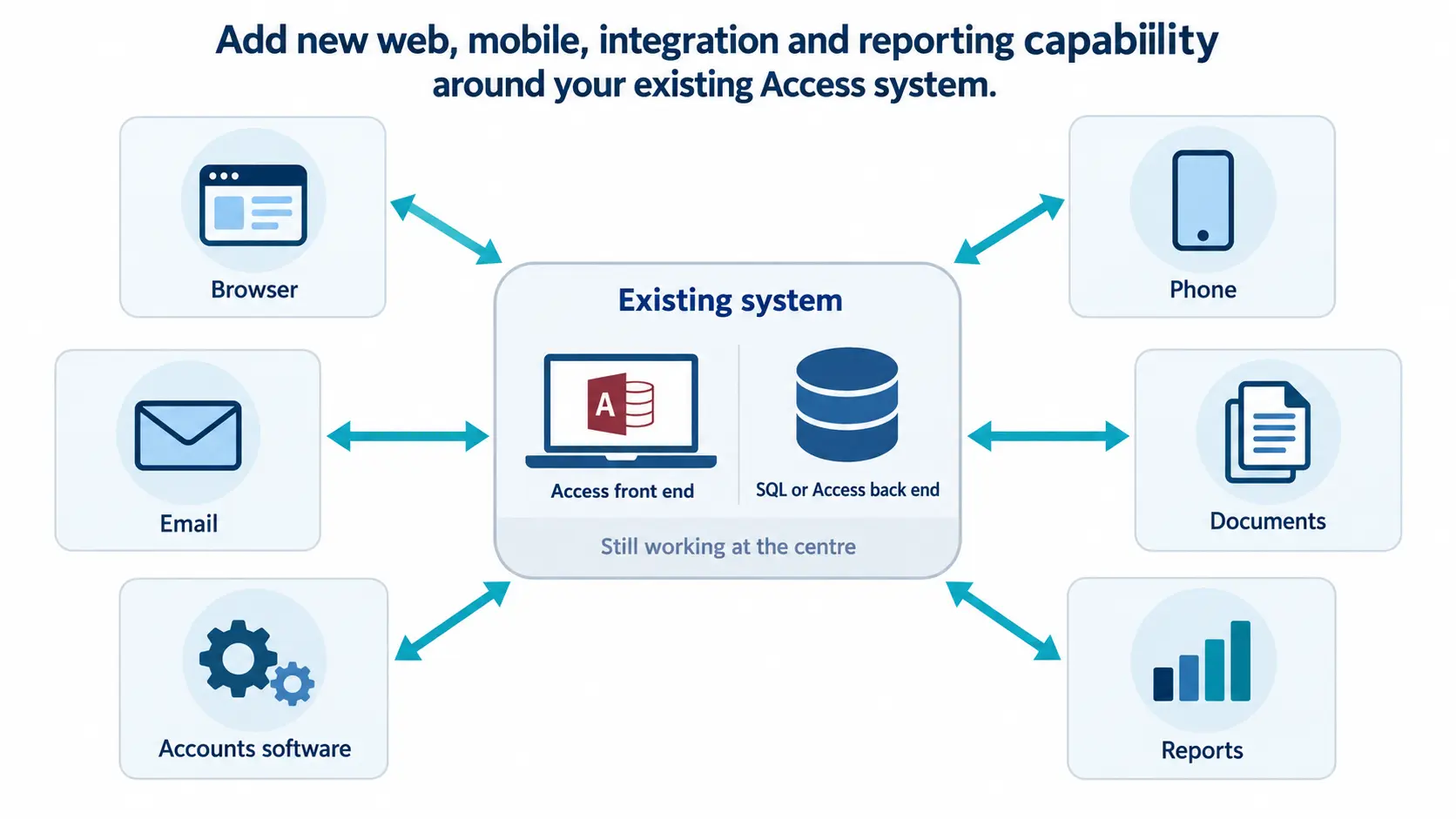
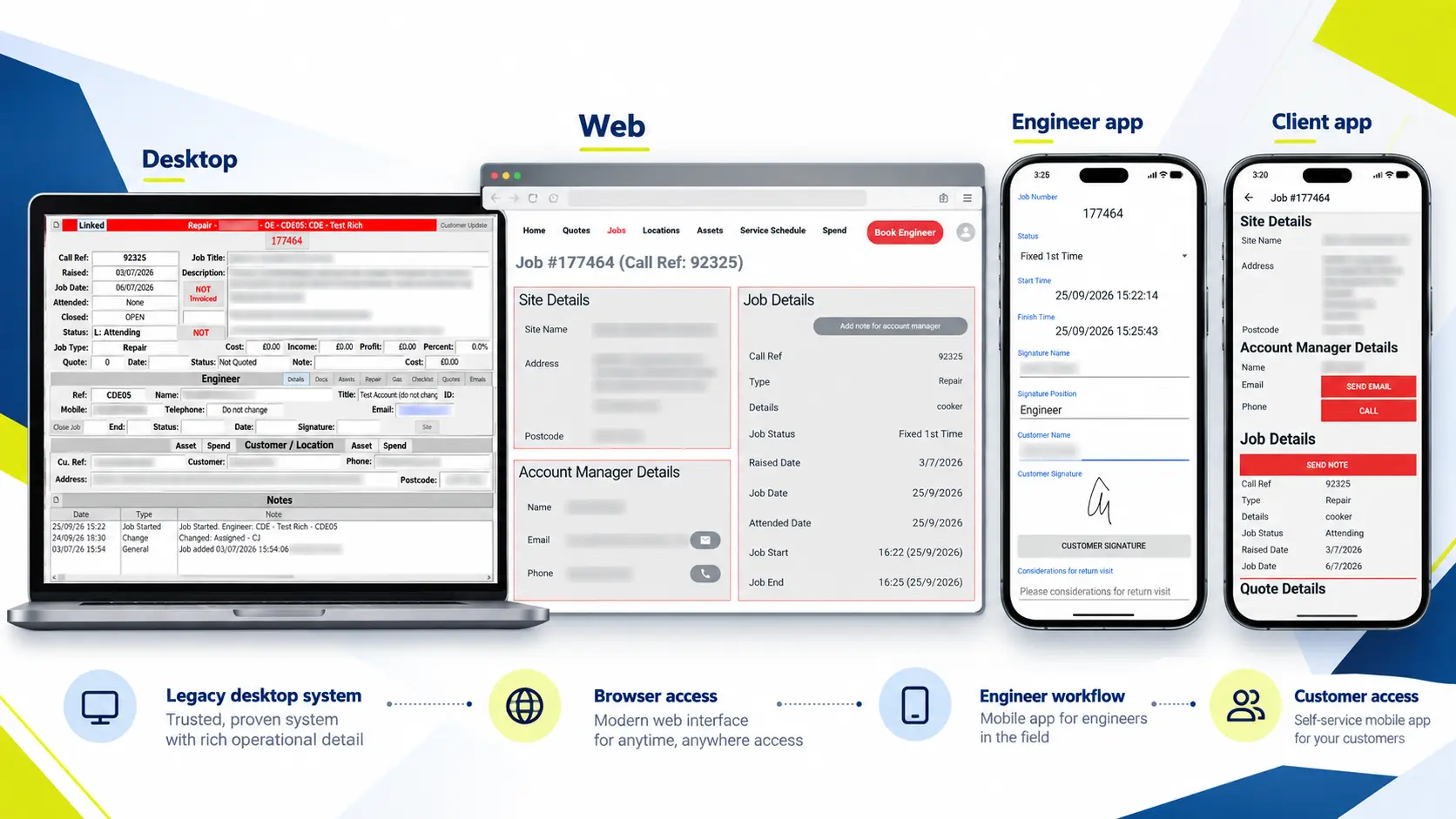
Upgrading that doesn’t mean the database has to go. Most of what people want from a new system can be added to the one they’ve got. A phone app for the engineers, a web page for the managers, somewhere customers can look things up for themselves. The office carries on with the interface it has always used.
That’s what CDE Systems means by Access database modernisation. We add web, mobile and cloud to the database you already have, a piece at a time, and you can stop whenever you’ve got what you needed. You tell us what the business needs the system to do, and we work out how.
What’s getting in the way?
| Today | What we add |
| Sales staff and managers ring the office to get something typed in | A web interface they can use from anywhere (web applications) |
| Engineers, drivers and fitters fill in paper on site | A phone app with job lists, photos, signatures and scanning, which works with no signal and syncs later (mobile apps) |
| Customers ring to ask where their order is | A portal where they look it up themselves (customer portals) |
| Quotes, invoices and reminders are produced by hand | Documents generated from live data, emailed automatically and logged against the record |
| The same figure is typed into two systems | A link to the accounts package, couriers, payments or the website (Access integration) |
| Someone reformats an Excel export every Monday | Dashboards and scheduled reports |
| The data file keeps growing | Attachments stored outside the database, and the data moved to SQL Server or Azure (Access migration) |
What stays exactly as it is
The Access application stays as the system of record, and the people who use it all day carry on using it. Everything new reads and writes the same data.
That means no retraining, no data-migration weekend and no six-month build before anybody sees anything. There’s also no single go-live day with the whole business riding on it, which tends to be the part people were dreading.
One piece at a time, and you can stop
We pick whatever hurts most and build that first, then put it in front of the people who’ll use it. Once it’s working we start on the next thing. If you decide to stop after the first stage, that stage still works and still earns its money.
It’s slower to describe than a replacement, and considerably safer to live through.
Start with a free review
Before anyone talks about building anything, we’ll go through the application you have. Send us a copy through our secure upload and we’ll look at how it’s structured, where the business logic sits, and what state the code and data are in. Then we ring you and talk through what we found and what we’d suggest.
There’s no charge for that, and you’re free to do nothing with it.
Wouldn’t it be safer to replace it?
Sometimes replacing it is the right call, and we’d say so. Before you decide, it’s worth having an answer to four questions:
- Is it better to extend the life of what you’ve got, or replace it?
- What will keeping it cost over the next three years, workarounds included?
- What is being done by hand that the system should be doing?
- If this goes wrong, can it be undone?
We’ll give you our answer to each of them, and occasionally the answer is that you don’t need us yet.
An Access system with four apps on top
At Aire Valley Catering the office runs on Access and SQL Server. The engineers work in commercial kitchens, which are often in basements with no signal, so their apps hold the job on the phone and sync once they’re back in range. There are four production apps across both app stores, and the Access system is still what the office works in.
CDE took our tired old Access database and transformed it into a system that is at the heart of our business. Everything we do is integrated – from a client’s first phone call to invoicing once the job is done.
Dearson Winyard International
For whoever checks the technical side
You’re being asked to let an Access specialist build a mobile app, so here is what we build with.
- Web: .NET and C#, or Node.js with NestJS, on the same SQL Server or Azure SQL data
- Mobile: React Native where one app has to cover iPhone and Android, and native code where scanners, cameras or offline working demand it
- Integrations: REST APIs, webhooks, scheduled exchanges, and file drops where that’s all the other system offers
- Hosting: Azure, defined in code with Terraform, so an environment can be rebuilt the same way twice
Tell us about your database
If it has stopped altogether, don’t fill in a form. Ring, and see emergency Access support. If you don’t know what state it’s in, an Access health check costs £495 (+VAT) and tells you in writing.